WelcomeTo1997

Welcome-To-1997 - Interactive Time Capsule of the 90s Web
Step back into a Windows 95 style desktop, dial-up tones and the 56k web.
Web Application Live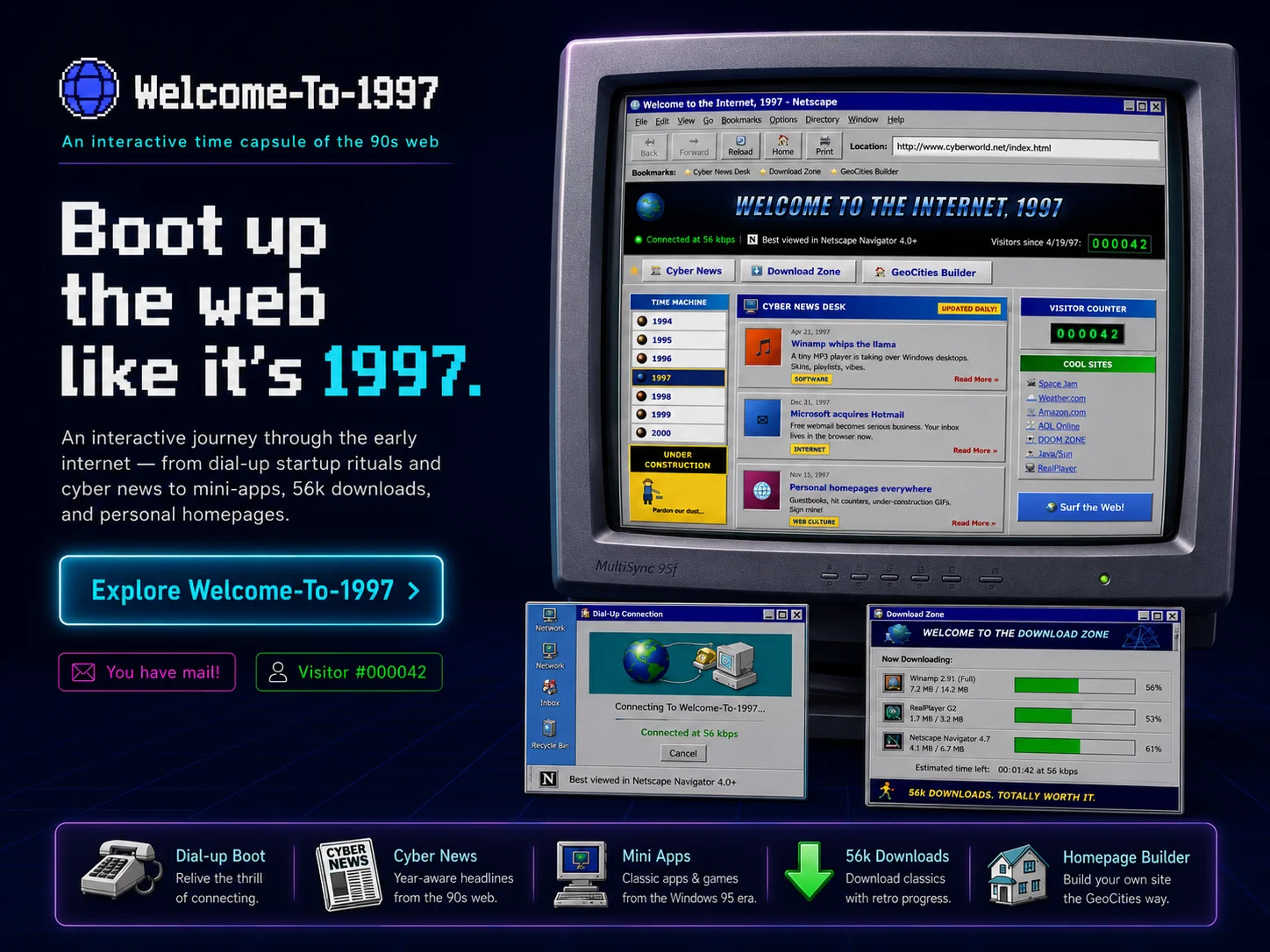
About
Welcome-To-1997 is an interactive time capsule of the 90s web. It opens with a dial-up boot sequence and drops the visitor into a Windows 95 style desktop instead of a modern landing page. From there, a small collection of mini-apps recreates the look, feel and rhythm of browsing in 1997.
The mini-app set includes a Winamp-style media player, an ICQ-style chat, a Netscape-style browser, a Hotmail-style mailbox, a guestbook, a Cool Links page and a Download Zone with simulated 56k downloads, alongside a GeoCities-style homepage builder. The desktop ties it together with windowed apps, retro icons and period-correct chrome.
Selected mini-apps include period touches like a visitor counter and a time machine view.
Key Features
Dial-Up Boot Sequence
Visitors don't land on a homepage - they sit through a stylised dial-up handshake, modem tones and all.
Windows 95 Style Desktop
A windowed desktop with retro icons, period chrome and start-menu vibe acts as the navigation surface for everything else.
Winamp-Style Media Player
A small media player styled after Winamp - skinned UI, equaliser layout and playlist feel.
ICQ-Style Chat
A chat module styled after ICQ with familiar contact-list chrome and signature notification feel.
Netscape-Style Browser & Hotmail Mailbox
A windowed Netscape-style browser and a Hotmail-style mailbox recreate two pillars of the 90s online life.
Guestbook, Cool Links, Visitor Counter
Period staples: a guestbook to sign, a Cool Links page and a counter that proudly displays your visit number.
56k Download Zone
A download page that progresses at simulated 56k speeds, complete with the wait that came with it.
GeoCities-Style Homepage Builder
A simple homepage builder in the GeoCities spirit lets visitors leave their own retro page on the desktop.
Dial-Up Boot Sequence
Visitors don't land on a homepage - they sit through a stylised dial-up handshake, modem tones and all.
Windows 95 Style Desktop
A windowed desktop with retro icons, period chrome and start-menu vibe acts as the navigation surface for everything else.
Winamp-Style Media Player
A small media player styled after Winamp - skinned UI, equaliser layout and playlist feel.
ICQ-Style Chat
A chat module styled after ICQ with familiar contact-list chrome and signature notification feel.
Netscape-Style Browser & Hotmail Mailbox
A windowed Netscape-style browser and a Hotmail-style mailbox recreate two pillars of the 90s online life.
Guestbook, Cool Links, Visitor Counter
Period staples: a guestbook to sign, a Cool Links page and a counter that proudly displays your visit number.
56k Download Zone
A download page that progresses at simulated 56k speeds, complete with the wait that came with it.
GeoCities-Style Homepage Builder
A simple homepage builder in the GeoCities spirit lets visitors leave their own retro page on the desktop.
Privacy & Security
Your data stays on your device. Always.