
Ekstrakcja zależności
Automatycznie odkrywa instrukcje importu i odniesienia modułów w Python, JavaScript, TypeScript, Go, Rust, Java i innych.


Analiza repozytoriów i mapowanie architektury
Zrozum dowolną bazę kodu jednym spojrzeniem.
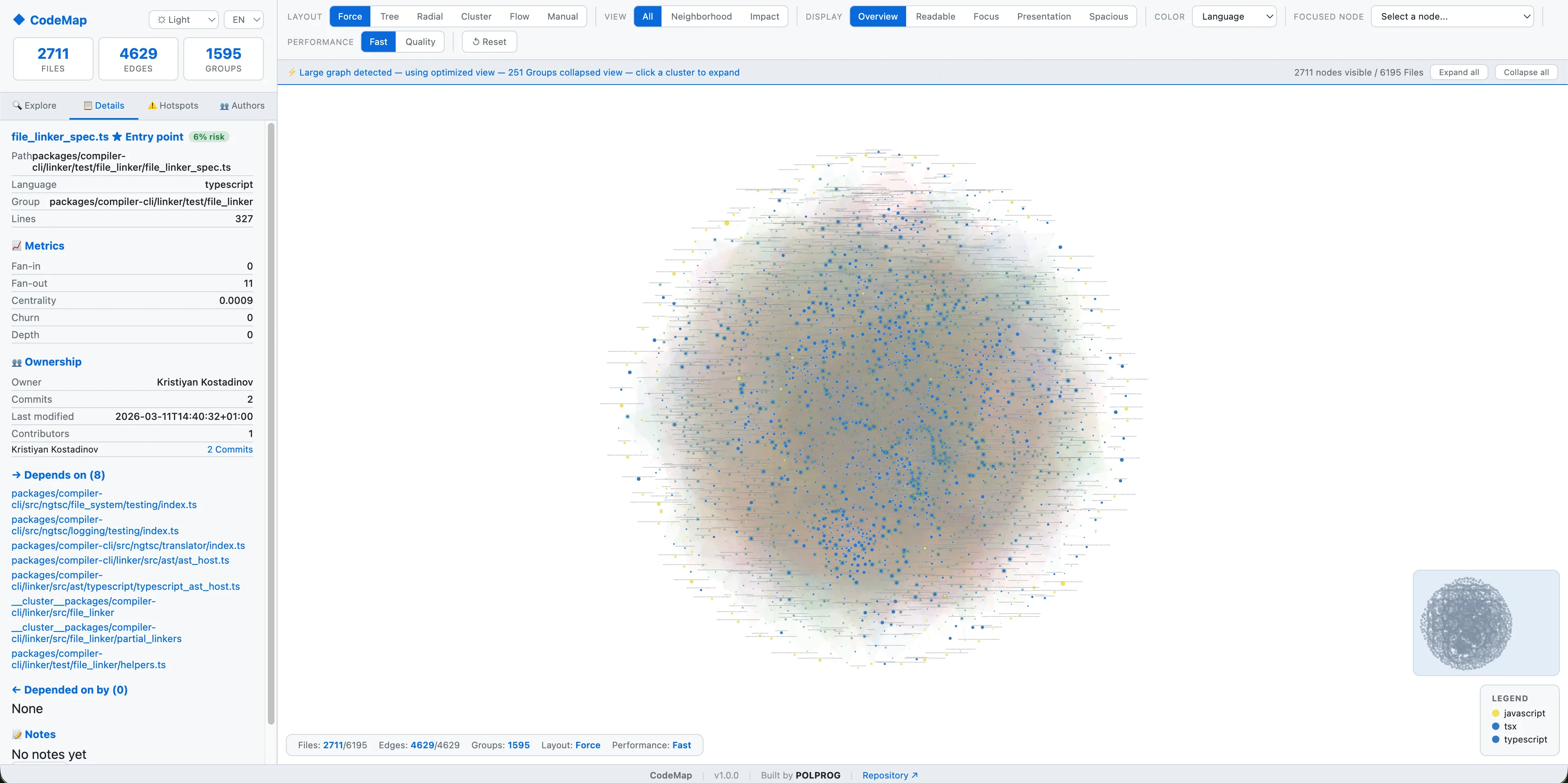


CodeMap to otwartoźródłowe narzędzie CLI Python, które skanuje dowolne repozytorium Git, wyodrębnia zależności modułów, analizuje własność i rotację na podstawie historii git, oraz generuje w pełni interaktywny graf architektury D3.js. Sześć trybów układu, eksploracja skupiona na węzłach, progresywne ładowanie dla dużych repozytoriów, motywy ciemny/jasny, eksport do JSON, Markdown i HTML.
Najważniejsze możliwości opisane w praktyczny sposób.
Automatycznie odkrywa instrukcje importu i odniesienia modułów w Python, JavaScript, TypeScript, Go, Rust, Java i innych.
Analizuje historię git log, aby zmapować własność plików, ostatnią rotację, aktywność współtwórców i obszary hot-spot.
Generuje samodzielną wizualizację HTML z zoomem, przesuwaniem, minimapą i sześcioma trybami układu, w tym siłowym, hierarchicznym i radialnym.
Wybierz dowolny plik lub moduł z rozwijanej listy, aby zbadać jego zależności, zależności odwrotne i lokalny podgraf w izolacji.
Wbudowane tryby motywów ciemny, jasny i systemowy. Wszystkie elementy grafu, panele i nakładki respektują wybrany motyw.
Duże repozytoria ładują się progresywnie - zwinięte klastry, odroczone metadane, adaptacyjna symulacja - utrzymując responsywność UI.
Eksportuj wyniki analizy jako interaktywne grafy HTML, strukturalny JSON, raporty Markdown lub podsumowania tekstowe.
Czysty pakiet Python z wymienialnymi analizatorami, rendererami i formatami wyjściowymi. Licencja MIT, testowany CI, gotowy na współtworzenie.
Prosta droga od oficjalnego źródła do pierwszego udanego użycia.
Skorzystaj z jednego z oficjalnych odnośników dostępnych dla Twojego urządzenia lub przeglądarki.
Postępuj zgodnie z instrukcjami sklepu lub otwórz aplikację internetową. Bez zewnętrznych instalatorów.
Sprawdź dostępne opcje, wybierz preferencje i rozpocznij od podstawowego zastosowania.
Przejrzysty opis głównych technologii użytych do budowy i utrzymania produktu.
Twój kod nigdy nie opuszcza Twojego komputera. Cała analiza działa w 100% lokalnie - bez chmury, bez telemetrii, bez konta.