
Multi-repository scans
One GitHub App installation can monitor selected projects of an organization or user.



Dependency updates in Slack
Dependency updates from multiple repositories in one clear report, directly in Slack.
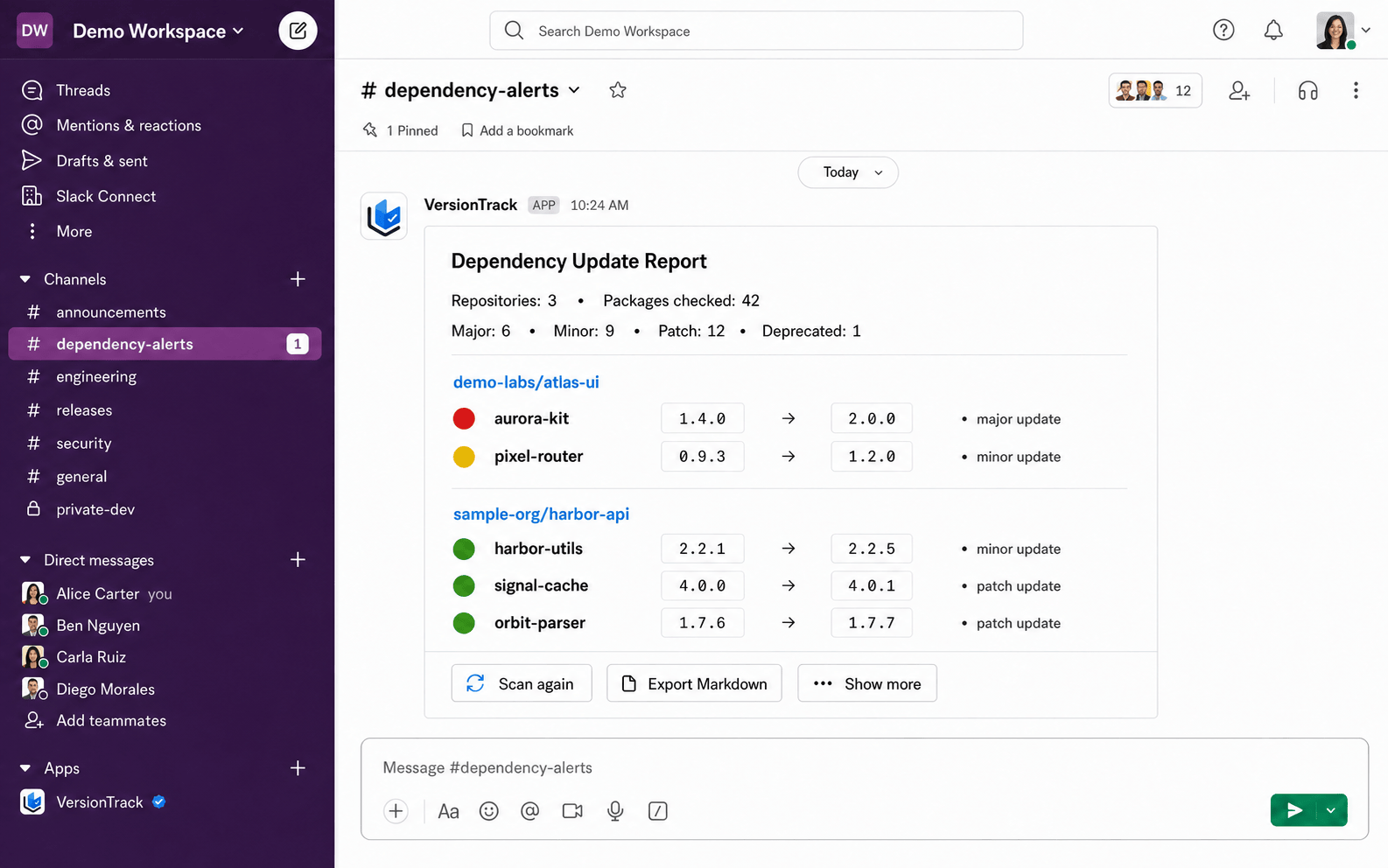
VersionTrack brings npm dependency updates from selected GitHub repositories into one clear Slack report. Your team immediately sees which packages need attention, how large the change is and which project it affects, without opening every package.json by hand.
/deps scan or use the scan button. Progress is posted to the channel and becomes the final report.package.json and package-lock.json, version comparison and deprecation information.In its first release, the tool does not modify code, create branches, open pull requests or install packages. It organizes updates while the team decides what to ship. Bitbucket and more package ecosystems are planned after the GitHub integration is stable.
The most important capabilities, explained in practical terms.
One GitHub App installation can monitor selected projects of an organization or user.
Semantic version changes are classified clearly, so major upgrades do not disappear among small patches.
Repositories can be selected and later enabled or disabled directly from Slack.
Filter a report by repositories, sort results and download the current scan as a Markdown file.
A progress message shows completed repositories and checked packages, then becomes the final report.
Missing manifests, access issues, API limits and deprecated packages are shown against the affected repository.
A clear path from the official source to your first successful workflow.
Use one of the official links available for your device or browser.
Follow the store instructions or open the web application. No third-party installers.
Review the options, choose your preferences and start with the core workflow.
A transparent look at the core technologies used to build and maintain this product.
VersionTrack has only the access needed to read dependency manifests and publish its own reports.