
A verdict on one specific request
Allowed or blocked, for the exact method, headers, origin and credentials mode you describe, with the check that decided it named. Not a list of headers left for you to interpret.


Find the check that blocks your cross-origin request
Would a browser let your code read this response? And if not, which check said no.
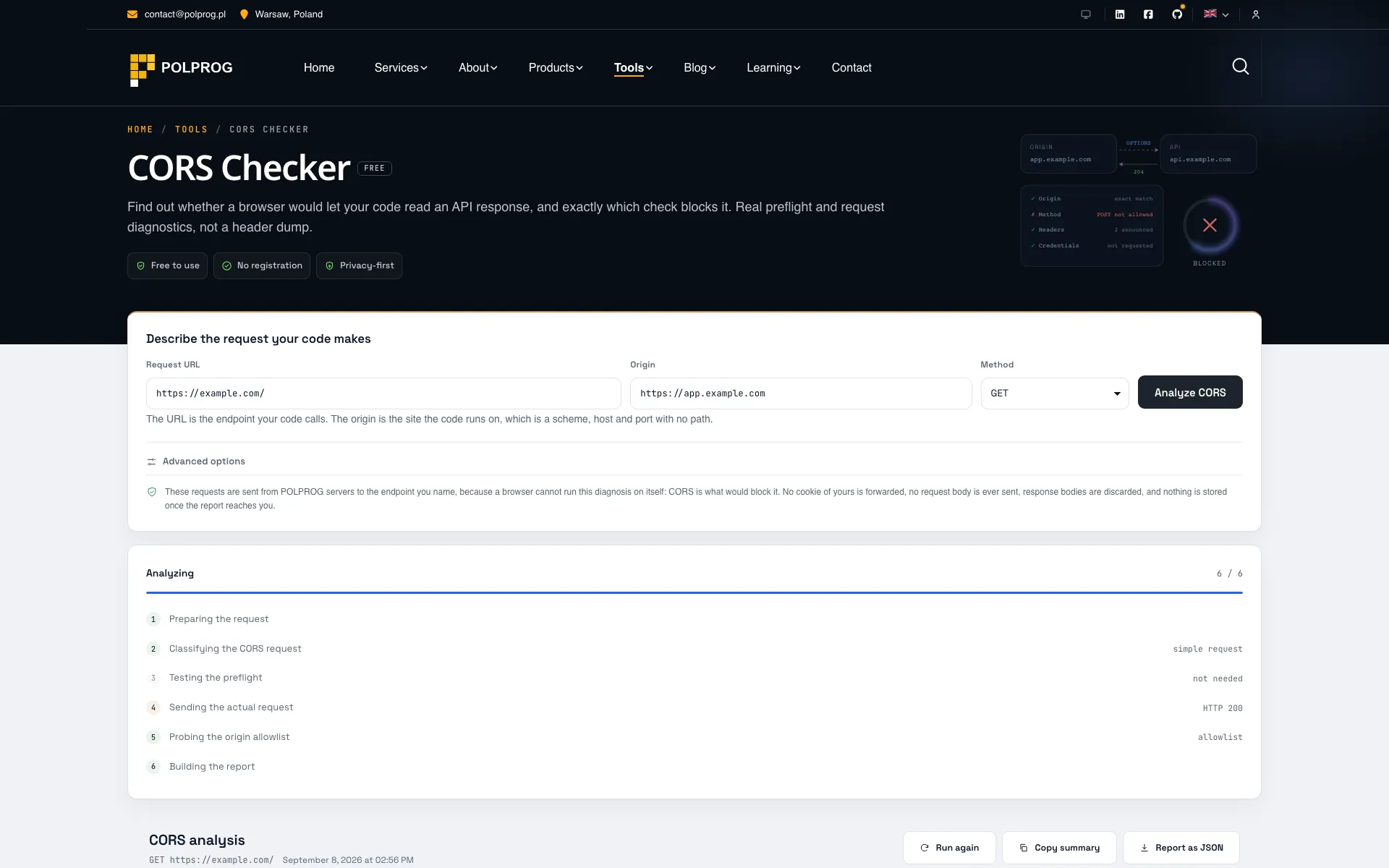
This is a diagnosis of one request, not a header dump. You describe the call your code makes - the endpoint, the origin it runs on, the method, the headers it sets, whether it sends credentials - and the tool reports whether a browser would let you read the answer, and which specific check decided that.
A server that answers every origin with that same origin looks identical to a correctly configured allowlist if you only ever test your own. Sending one request from an origin the server has never seen separates the two, which matters because an echoing server combined with credentials is the configuration that makes a response readable by every site its user visits.
| Header | With credentials |
|---|---|
| Access-Control-Allow-OriginNo wildcard | Must name the origin. An asterisk is rejected outright, even alongside Access-Control-Allow-Credentials: true. |
| Allow-Methods, Allow-Headers, Expose-HeadersLiteral | An asterisk stops being a wildcard and is read as a literal header or method name. |
| Access-Control-Allow-CredentialsRequired | Its only accepted value is the exact lowercase string true. |
Every finding carries a severity, a category, the phase it came from, the evidence it was drawn from, the headers it concerns and a recommendation. The checks that passed are listed too, so a clean result is visible rather than merely empty. Two rules the recommendations follow, because the obvious advice is often the wrong advice: nothing here tells you to open a method, a header or an origin just to clear a red box - a blocked DELETE may be a correctly locked-down endpoint - and nothing here ever suggests reflecting an arbitrary Origin. An allowlist is the answer, every time.
CORS decides which origins may read a response inside a browser. It is not authentication, it grants no permissions, and it does not stop cross-site request forgery, because a CSRF attack never needs to read the response. Any client that is not a browser ignores it entirely. This tool is explicit about that rather than letting a green verdict imply your endpoint is protected.
The most important capabilities, explained in practical terms.
Allowed or blocked, for the exact method, headers, origin and credentials mode you describe, with the check that decided it named. Not a list of headers left for you to interpret.
Six stages, each reported as it settles. The OPTIONS preflight is sent as a browser would send it, and the actual request follows, because the preflight alone never shows the CORS headers on the real response.
A request is simple only when the method is GET, HEAD or POST and every header is CORS-safelisted, with Content-Type limited to three values. The tool applies the rule rather than guessing, which is usually where the surprise OPTIONS request comes from.
One extra request carrying an origin the server has never seen, which separates a genuine allowlist from a server that echoes back whatever it is given. Those two look identical if you only ever test your own origin.
A wildcard origin becomes invalid, and asterisks in Allow-Methods, Allow-Headers and Expose-Headers stop being wildcards and read as literal names. The analysis applies the stricter set rather than the common one.
A browser restarts its CORS check at each redirect, so each hop is evaluated again before it is followed. A chain that ends somewhere permissive can still be blocked in the middle.
Up to ten extra origins tested against the same endpoint and shown as a table, which is the quickest way to confirm that local, staging and production are all on the allowlist and no more.
Each one carries a severity, a category, the phase it came from, the evidence behind it and the headers it concerns, alongside the checks that passed. No recommendation ever tells you to open a method, header or origin just to clear a warning.
A clear path from the official source to your first successful workflow.
Use one of the official links available for your device or browser.
Follow the store instructions or open the web application. No third-party installers.
Review the options, choose your preferences and start with the core workflow.
A transparent look at the core technologies used to build and maintain this product.
Your data stays on your device. Always.