
Header, payload and signature decoded
The compact serialization is split into its three Base64URL segments; the header and payload are shown as formatted JSON and the signature segment is shown as it stands.


Inspect JSON Web Tokens locally
Header, payload and claims decoded in the browser, with nothing sent anywhere.
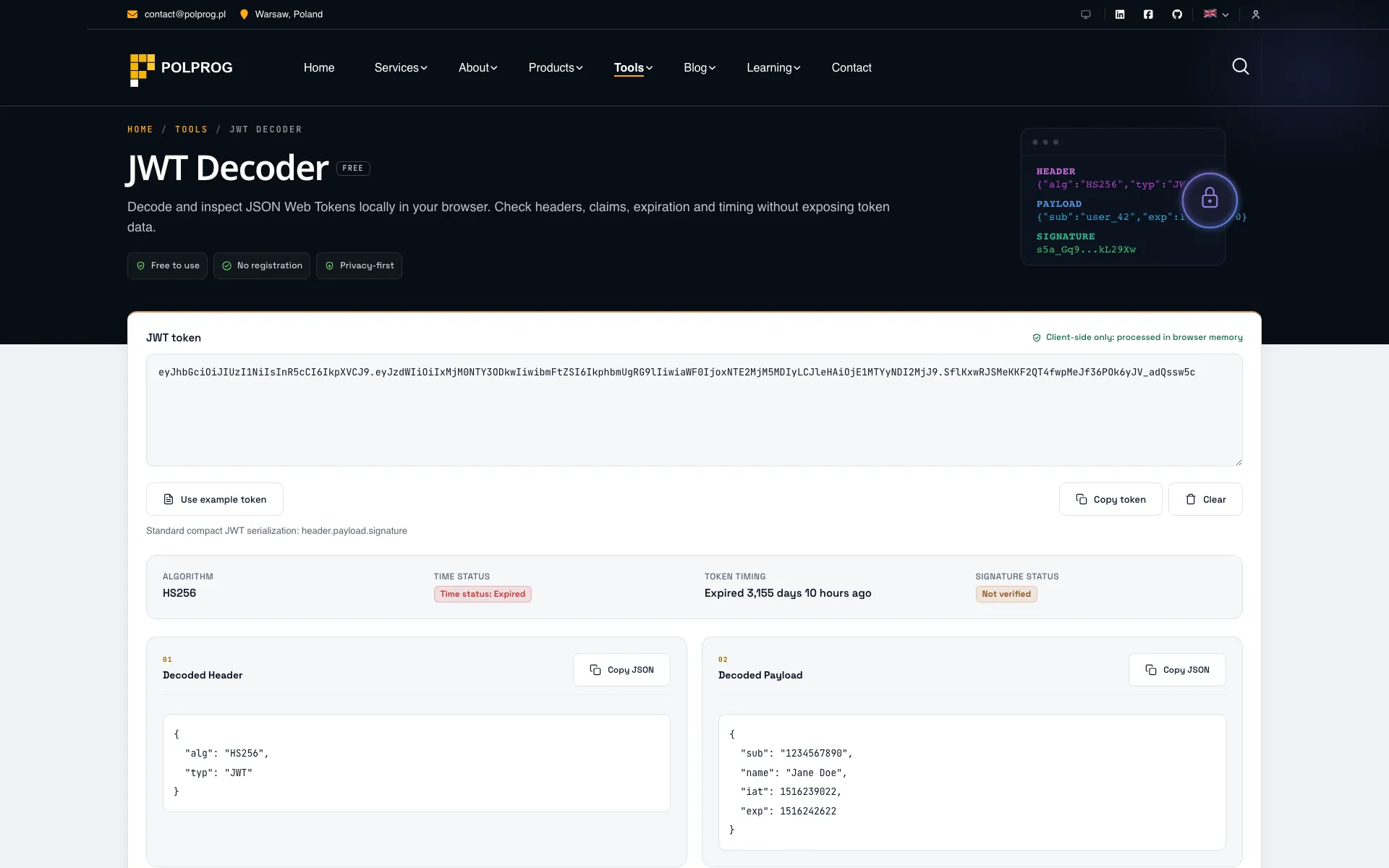
It decodes. It does not verify, and it never says otherwise. Decoding unpacks what a token says about itself; proving that a token is authentic means checking its signature against the secret or public key that produced it. This tool does not ask for a key and never receives one, so the signature is reported as unverified rather than quietly presented as fine.
| Segment | What happens to it |
|---|---|
| HeaderDecoded | Base64URL-decoded and shown as formatted JSON, with the algorithm read out of it. |
| PayloadDecoded | Base64URL-decoded and shown as formatted JSON, with the registered claims pulled out and labelled. |
| SignatureShown as it stands | Displayed, never checked. Checking it would need the key. |
The seven registered claims from RFC 7519 and the IANA registry - iss, sub, aud, exp, nbf, iat and jti - are picked out of the payload and given their proper names: issuer, subject, audience, expiration time, not before, issued at and JWT ID. Everything else your system put in the token stays visible in the decoded payload rather than being hidden because it is not standard.
exp, iat and nbf are NumericDate values, which is to say seconds since 1 January 1970 UTC. Read raw they tell you nothing, so they are compared against the current time and reported as how long is left, how long ago the token was issued, or when it becomes active. That is usually the whole question when a token has stopped working.
An unsecured token carries no cryptographic signature at all. RFC 7519 permits it for specific internal cases, and it offers no tamper protection whatsoever, so it is flagged explicitly instead of appearing as a token that simply happens to have a short third segment. A missing signature should never be mistaken for a satisfied one.
A wrong number of segments, broken Base64URL and invalid JSON inside a segment each produce their own message. The failure says which of the three it was, rather than returning an empty result and leaving you to guess whether the token is truncated, corrupted or simply not a JWT.
There is no API endpoint behind this page. The token is decoded in browser memory and is never uploaded, logged or stored, which matters more here than on most tools: a production access token pasted into somebody else's website is a credential you have just disclosed.
The most important capabilities, explained in practical terms.
The compact serialization is split into its three Base64URL segments; the header and payload are shown as formatted JSON and the signature segment is shown as it stands.
The standard RFC 7519 / IANA claims - iss, sub, aud, exp, nbf, iat and jti - are picked out of the payload and labelled, with custom claims left visible in the decoded payload.
exp, iat and nbf are NumericDate values. The tool compares them with the current time and says how long is left, how long ago the token was issued, or when it becomes active.
The tool decodes only. It reports the algorithm and marks the signature as not verified, because verifying it would need the key.
An unsecured token is flagged explicitly, so a missing signature is never mistaken for a valid one.
A wrong segment count, broken Base64URL or invalid JSON each produce their own message rather than an empty result.
The tool has no API endpoint. The token is decoded in browser memory and is never uploaded, logged or stored.
A clear path from the official source to your first successful workflow.
Use one of the official links available for your device or browser.
Follow the store instructions or open the web application. No third-party installers.
Review the options, choose your preferences and start with the core workflow.
A transparent look at the core technologies used to build and maintain this product.
Your data stays on your device. Always.