
Ten types, each with its own form
Link, text, Wi-Fi, contact, email, SMS, phone, WhatsApp, location and event. Every field is validated against the format it will be encoded into, so the payload comes out well formed rather than merely non-empty.


Static QR codes that never expire
Ten kinds of QR code, built in your browser, with a warning before one fails to scan.
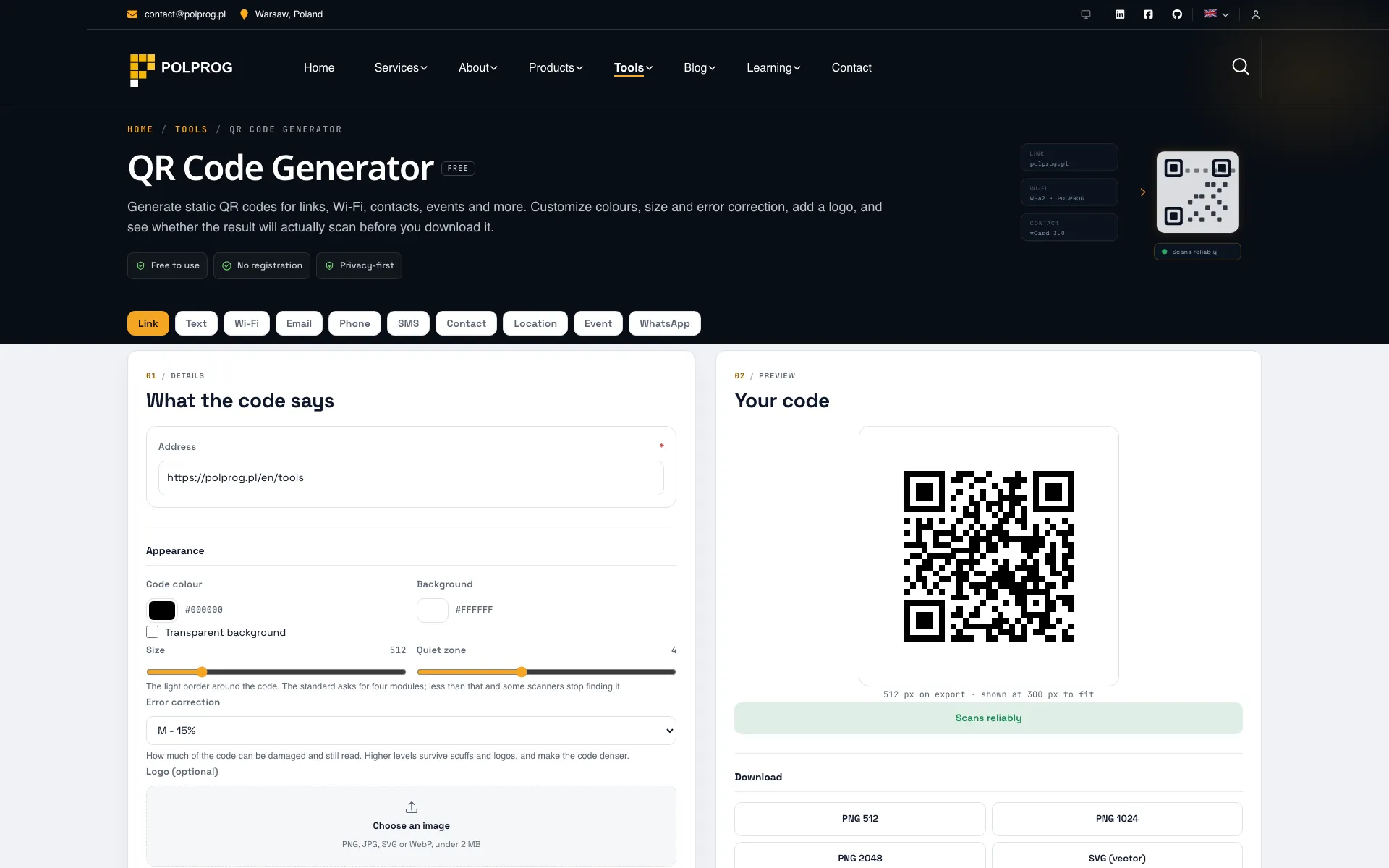
Every code here is static. The content is encoded into the pattern itself, so the code is the data. There is no redirect through POLPROG, no short link, no account and nothing to expire or switch off. A code generated today still resolves to the same content in ten years, whether or not this site still exists.
That is the opposite of a dynamic or tracking QR code, which encodes a link to somebody else's server and stops working the moment that service shuts down, changes its pricing or loses the domain.
Link, plain text, Wi-Fi credentials, a vCard contact, email, SMS, phone, WhatsApp, geographic location and a calendar event. Each type has its own form, and each field is validated against the format it will be encoded into, so a Wi-Fi code that carries a password and a contact card that carries a name both come out well formed.
A complete ISO/IEC 18004 encoder, written as a module of this site rather than pulled in as a dependency: segmenting the input into numeric, alphanumeric and byte runs, picking the smallest version that fits, building the bitstream, adding Reed-Solomon correction, placing the data in the zig-zag walk, then trying all eight masks and keeping the lowest penalty, exactly as the standard requires. Writing an encoder is only defensible if it is verified rather than trusted, so its finished matrices are compared bit for bit against a mature reference implementation across every mode, every correction level and a spread of versions, with a decode round trip on top.
A QR code that looks correct on screen can still be unreadable on paper, so the generator judges the result rather than just drawing it:
Coverage grows with the square of the width, which is the part that surprises people: a logo 30 percent as wide as the code hides 9 percent of it, and one half as wide hides 25 percent. Adding a logo raises the correction level automatically, a logo past half the budget is flagged, and one past the whole budget is refused.
Entirely in your browser. The encoder, the preview, the logo compositing and the PNG and SVG export all run locally, and there is no API endpoint behind this page at all, so a Wi-Fi key, a private phone number or a contact card has nowhere to be sent even by accident. A logo you add is read with FileReader and never uploaded. Open your browser network panel while you use the tool and it stays empty.
The most important capabilities, explained in practical terms.
Link, text, Wi-Fi, contact, email, SMS, phone, WhatsApp, location and event. Every field is validated against the format it will be encoded into, so the payload comes out well formed rather than merely non-empty.
The content is in the pattern, so there is no redirect, no short link, no account and nothing that can expire or be switched off. The code keeps working whether or not this site does.
Segmenting, version selection, Reed-Solomon blocks, the data placement walk and all eight masks with the lowest penalty kept. Verified module by module against a reference implementation across every mode and correction level, plus a decode round trip.
Contrast between your colours, module size at the chosen export size, the quiet zone against the four modules the standard asks for, and a warning for a light-on-dark code that many decoders refuse. The verdict is one of three: scans reliably, should scan with caveats, or unlikely to scan.
Coverage grows with the square of the width, so a logo 30 percent as wide hides 9 percent of the symbol. Adding a logo raises the correction level, passing half the budget is flagged, and passing all of it is refused.
Version, module count, encoding mode, correction level, the mask that won and how much of the capacity the content used. The encoded string itself can be revealed and copied.
PNG at 512, 1024 or 2048 pixels for anything that needs a bitmap, and SVG when the code has to scale to a poster. Colours, size, quiet zone and a transparent background are all adjustable.
There is no API endpoint behind this page. The logo is read with FileReader and stays in the browser, and you can confirm the whole claim by watching the network panel while you use the tool.
A clear path from the official source to your first successful workflow.
Use one of the official links available for your device or browser.
Follow the store instructions or open the web application. No third-party installers.
Review the options, choose your preferences and start with the core workflow.
A transparent look at the core technologies used to build and maintain this product.
Your data stays on your device. Always.