
Format, minify and sort
Re-indent with two spaces, four spaces or tabs, strip the whitespace back out, or sort keys recursively in either direction. Values, escapes and Unicode come back exactly as they went in, and arrays keep their order.


Format, validate and compare JSON locally
Format, validate and compare JSON in the browser, with nothing sent anywhere.
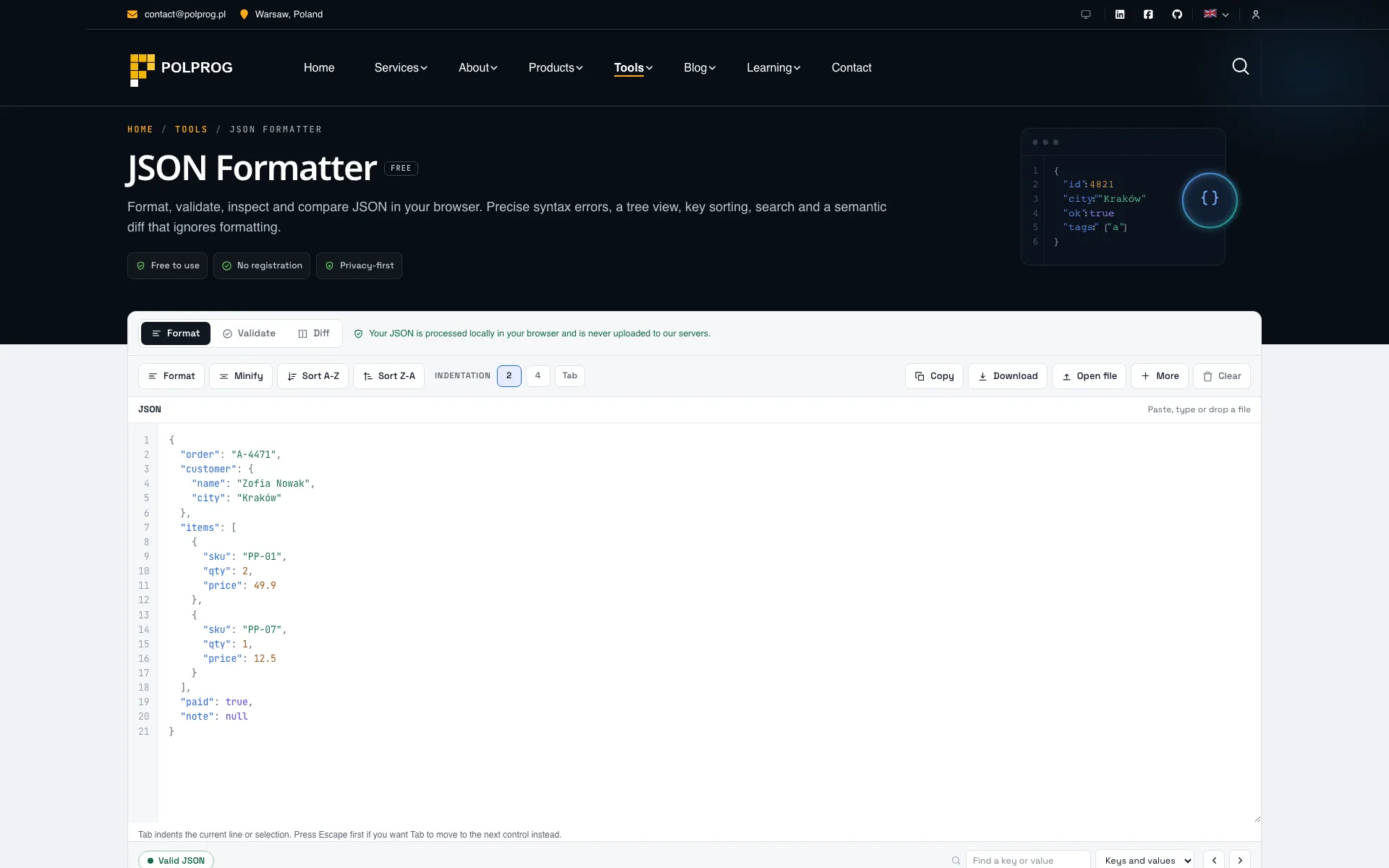
Three modes, one workspace. Format, Validate and Diff share the same parser and the same editor, so a document behaves identically whichever mode reads it, and switching between them never reformats what you pasted.
| Mode | What it does |
|---|---|
| FormatRewrites | Re-indent with two spaces, four spaces or tabs, strip the whitespace back out, or sort keys recursively in either direction. Values, escapes and Unicode come back exactly as they went in, and arrays keep their order. |
| ValidateLocates | Names the fault and points at it, rather than reporting that the document is invalid and leaving you to find out where. |
| DiffCompares data | Two documents compared by what they mean, with every change labelled added, removed, changed or type changed. |
Nineteen distinct causes are named, each with its line, its column and its byte offset, and the surrounding lines are printed with a caret under the character. A trailing comma, a single-quoted key, a bare word, a comment, an invalid escape and a raw control character inside a string all read as themselves instead of as one generic parse error.
Both are reported on documents that parse cleanly, because both change your data silently. A duplicate key cannot be recovered by anything: JSON.parse keeps only the last value, and so does every other parser you are likely to use, so the warning names the key and its line in order to fix the producer. An integer beyond 2^53 changes value the moment JavaScript reads it, which is how a 64-bit identifier quietly becomes a different identifier.
Indentation, line endings and the order object keys were written in carry no meaning in JSON, so they are not differences. Array order does carry meaning and is compared as a sequence, which is why one inserted element reads as one insertion rather than as every element after it having changed.
The ceiling is 5 MiB. Above roughly 300 KiB the syntax colours switch off so typing stays smooth, and on very large documents the detailed diff stops early and says so; validation and statistics keep working across the whole range.
There is no API endpoint behind this page. The document is parsed in browser memory and never reaches a server, nothing is written to storage or to the address bar, and the only thing kept between visits is which indentation you picked.
The most important capabilities, explained in practical terms.
Re-indent with two spaces, four spaces or tabs, strip the whitespace back out, or sort keys recursively in either direction. Values, escapes and Unicode come back exactly as they went in, and arrays keep their order.
Nineteen distinct causes are named, from a trailing comma to a single-quoted key, each with its line, column and byte offset and the surrounding lines printed with a caret under the character.
Both are reported on documents that are otherwise valid: JSON.parse keeps only the last of a repeated key, and integers beyond 2^53 change value the moment JavaScript reads them.
Indentation, line endings and key order are not differences. Arrays are compared as sequences, so one inserted element is one insertion, and every change is labelled added, removed, changed or type changed.
The tree opens one level at a time, so a large file does not become a large page. Every row carries the path that reaches it, users[4].email, with a button to copy the path or the value.
Search by key, by value or both, with a match count and a step through the hits. A document converts to YAML, to a TypeScript interface or to CSV, which says which shape it needed when a document cannot be expressed as a table.
The tool has no API endpoint. The document is parsed in browser memory and is never uploaded, logged or stored.
A clear path from the official source to your first successful workflow.
Use one of the official links available for your device or browser.
Follow the store instructions or open the web application. No third-party installers.
Review the options, choose your preferences and start with the core workflow.
A transparent look at the core technologies used to build and maintain this product.
Your data stays on your device. Always.