
Detection From the Bytes
Signatures identify workbooks, images, PDFs and media; CSV, JSON, YAML and Markdown are recognised by structure. Confidence is reported, so the page can say "probably CSV" instead of asserting it.


Spreadsheets, data, text, audio and video in your browser
Drop a file and see what it can honestly become
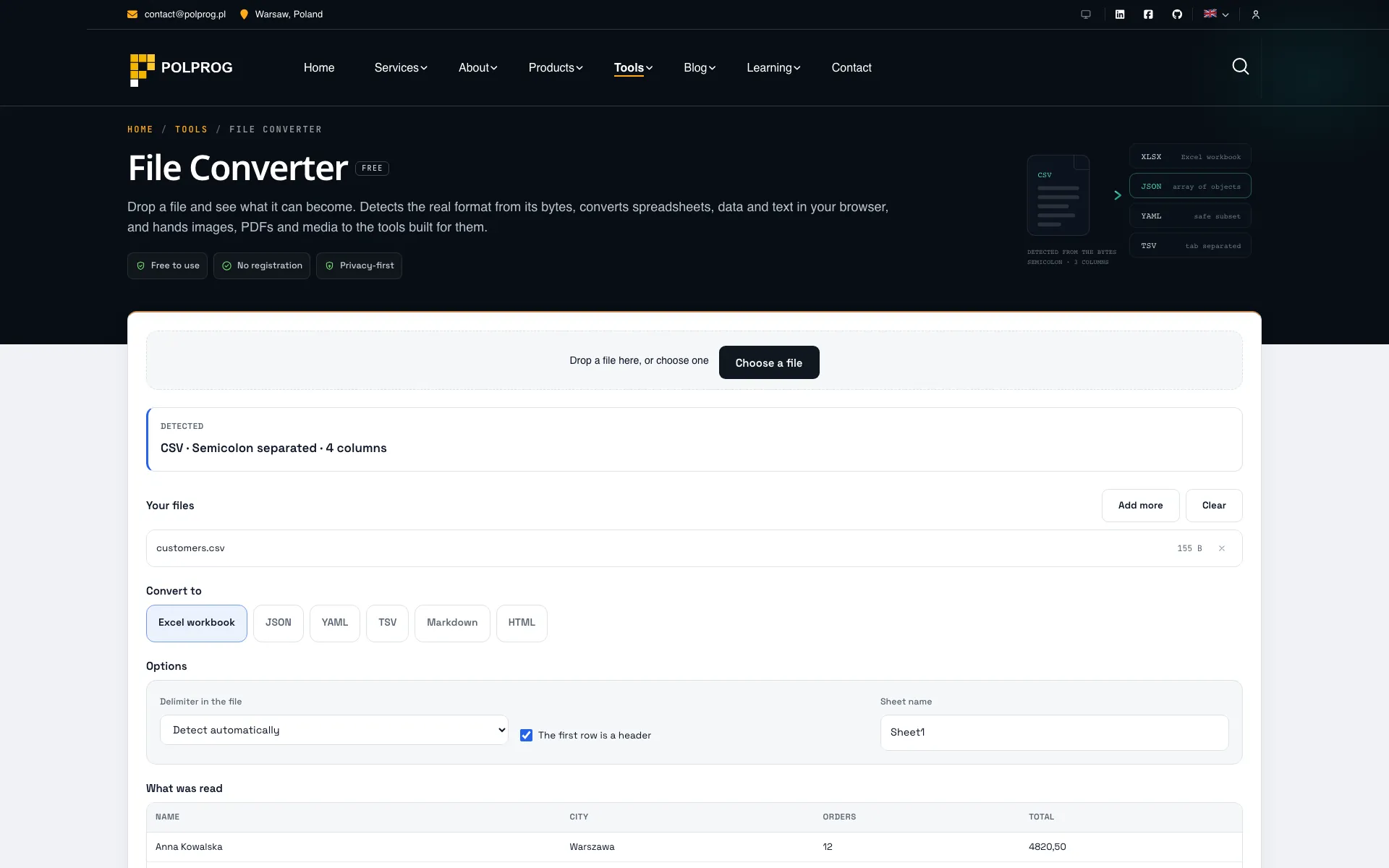
Most converters ask you to pick both ends of a conversion before you start, which assumes you already know which format you have. Often you do not: a .txt that is really a semicolon-separated export and a .json that is really YAML are both common. So this tool takes the file first, identifies it from its bytes, and shows the extension beside the detected format when the two disagree - rather than quietly overruling you.
It converts between CSV, TSV, JSON, YAML, XML, Markdown, HTML, plain text and Excel workbooks, reading and writing .xlsx with the browser's own decompression rather than a megabyte of library.
Audio and video are converted here too, and still nothing is uploaded. A WebAssembly build of FFmpeg is downloaded once - about 8 MB, only when you actually pick a media conversion - and runs in a worker on your machine. MP4 uses H.264 with AAC, WebM uses VP8 with Vorbis, and MP3 or WAV can be pulled out of anything with sound. It runs on a single core, so the page estimates the wait before you commit, shows FFmpeg's own progress while it works, and lets you stop it.
What it will not do matters as much. Image and PDF conversions are links to the Image Toolkit and the PDF Toolkit, not a second weaker engine. PDF to Word is not offered at all, because a faithful one needs layout reconstruction a browser cannot do. VP9 is not offered because it crashes in this build. Every conversion that loses something says so before you download the result.
The most important capabilities, explained in practical terms.
Signatures identify workbooks, images, PDFs and media; CSV, JSON, YAML and Markdown are recognised by structure. Confidence is reported, so the page can say "probably CSV" instead of asserting it.
Reads .xlsx with the browser's own DecompressionStream and writes it back with numbers as numbers and leading-zero codes kept as text, so identifiers survive the round trip.
CSV, TSV, JSON, YAML and XML in every direction that makes sense. Nested values are either flattened into dotted columns or reported by path - never silently dropped.
Markdown to HTML and back, and either to plain text. Raw HTML inside Markdown is escaped rather than passed through, because this runs on files from strangers.
FFmpeg in WebAssembly, downloaded once and only when needed. MP4 (H.264 and AAC), WebM (VP8 and Vorbis), MP3 and WAV, with a real progress readout and a cancel button.
Images go to the Image Toolkit, PDFs to the PDF Toolkit and JSON editing to the JSON Formatter. Those rows are links, marked as leaving, not buttons pretending to a second implementation.
CSV to XLSX, CSV to JSON, JSON to CSV, JSON to YAML, YAML to JSON, Markdown to HTML and HTML to Markdown each have their own page with that conversion already chosen.
A CSV out of a Polish or Czech Excel is not UTF-8. The encoding is worked out from the bytes - UTF-8, Windows-1250, ISO-8859-2, Windows-1252, ISO-8859-1 and the UTF-16 that Excel writes for "Unicode text" - and can be set by hand when the guess is wrong.
Choose which columns go out, rename them and reorder them before the file is written. The preview follows every edit, so what is on screen is what the download contains.
Nesting flattened into dotted columns, YAML comments, formulas reduced to their last value, every sheet but the first: each conversion states what it cannot carry across before you run it, not after.
A clear path from the official source to your first successful workflow.
Use one of the official links available for your device or browser.
Follow the store instructions or open the web application. No third-party installers.
Review the options, choose your preferences and start with the core workflow.
A transparent look at the core technologies used to build and maintain this product.
Your data stays on your device. Always.