
Your browser’s own engine, named
Patterns run on the JavaScript engine in your browser, and the page says so next to the input, in the reference and in the FAQ. Nothing is claimed about PCRE, Python, Java or .NET.


Test and explain regular expressions locally
Test, explain and debug regular expressions in the browser, with nothing sent anywhere.
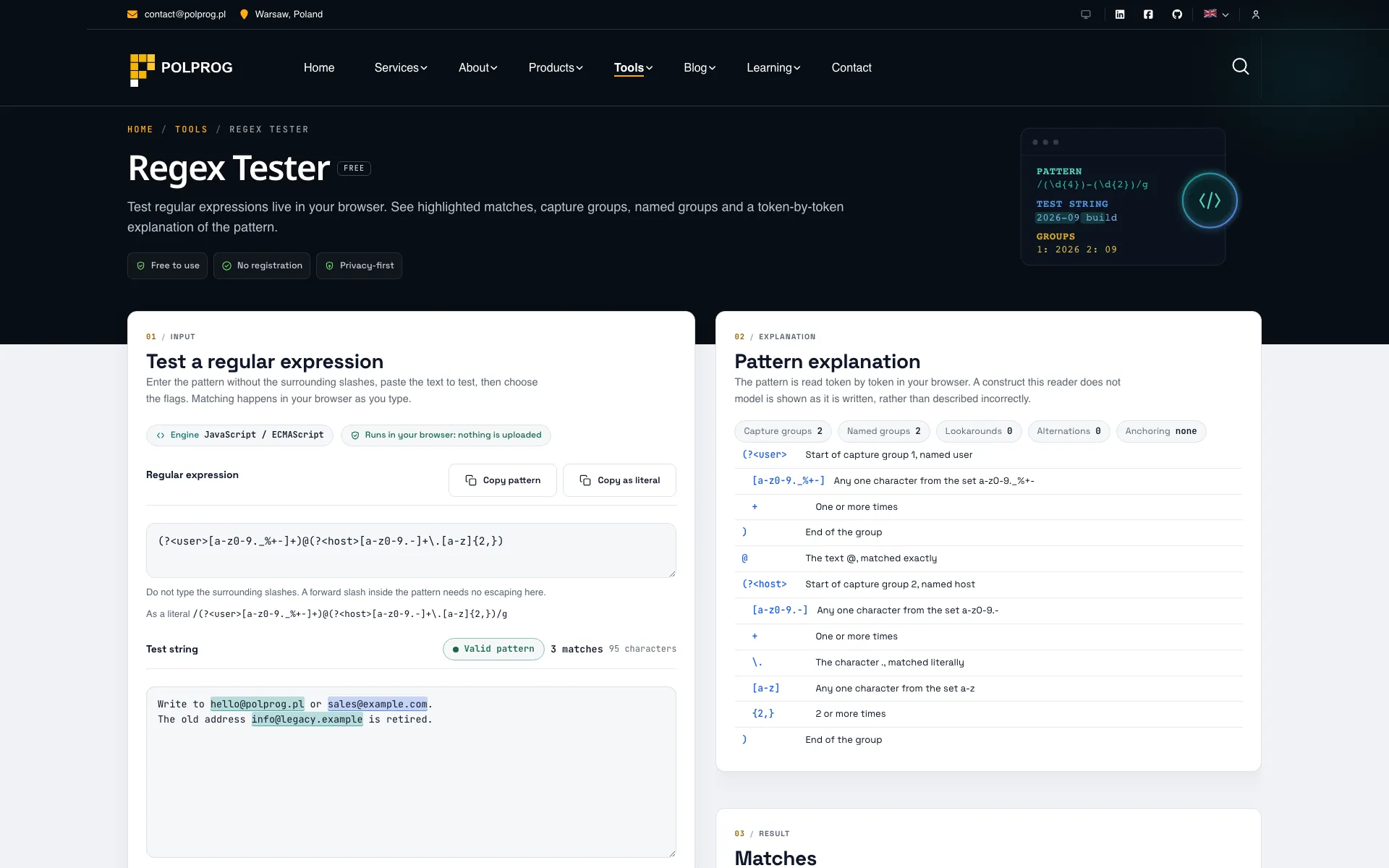
One flavour, stated plainly. Matching uses the ECMAScript engine built into your own browser, and the page says so next to the input, in the reference below it and in the FAQ. PCRE, PHP, Python, Java and .NET are genuinely different languages with different syntax and different behaviour, so a pattern verified here is verified for JavaScript and for nothing else.
| Flags | How they are offered |
|---|---|
| g i m s u yAlways | Global, case insensitive, multiline, dot matches newline, Unicode and sticky. Every browser that runs this page has them. |
| d vProbed | Match indices and Unicode sets are newer. They are tested at runtime and shown as unsupported when your browser lacks them, rather than failing when you switch them on. |
| u with vNever | They are two different Unicode modes and ECMAScript forbids combining them, so choosing one clears the other. |
Some patterns are pathological rather than wrong. (a+)+$ against a long run of a characters makes the engine try an astronomical number of paths, and on the main thread that is a frozen tab. Matching therefore runs in a worker with a hard time limit of about one second. When the limit passes the thread is terminated and a fresh one created, and the result says the execution was stopped, which is deliberately not the same sentence as calling the pattern invalid. The next pattern you type runs normally.
Presets for email, HTTP and HTTPS URLs, IPv4, UUID, semantic version, ISO-style date, hex colour, URL slug, HTML tag, words, digits, whitespace and Polish postal codes and phone numbers, each with a sample text. Every one is described as a practical shape to start from and never as a complete validator: the email preset is not RFC 5322, the IPv4 one does not check that an address is routable, the date one matches a shape rather than a real calendar date, and the HTML preset says outright that regular expressions cannot parse HTML.
There is no API endpoint behind this page. The pattern, the flags, the test string, the matches and the captured groups stay in this browser tab. They are not sent to POLPROG, not sent to analytics or error reporting, and not written to storage.
The most important capabilities, explained in practical terms.
Patterns run on the JavaScript engine in your browser, and the page says so next to the input, in the reference and in the FAQ. Nothing is claimed about PCRE, Python, Java or .NET.
g, i, m, s, u and y are always available; d and v are probed at runtime and shown as unsupported when your browser lacks them. u and v cannot be combined in ECMAScript, and choosing one clears the other.
Matching runs in a worker thread with a hard timeout. A pattern that overruns has its thread terminated and a fresh one created, and the result says the execution was stopped rather than calling the pattern invalid.
Every match is listed with its start, its end and its length, together with its capture groups and their names. A group that did not participate is reported differently from a group that matched an empty string.
A local reader breaks the pattern into its parts and labels each one: anchors, classes, quantifiers, groups, lookaround and backreferences. A construct it cannot read is named as such rather than guessed at.
Presets for email, URL, IP address, date, time, hex colour, slug and more. Each one is described as a practical shape to start from, never as a complete validator for the thing it matches.
The tool has no API endpoint. The pattern, the test string, the matches and the captured groups stay in browser memory and are never uploaded, logged or stored.
A clear path from the official source to your first successful workflow.
Use one of the official links available for your device or browser.
Follow the store instructions or open the web application. No third-party installers.
Review the options, choose your preferences and start with the core workflow.
A transparent look at the core technologies used to build and maintain this product.
Your data stays on your device. Always.