
Counts That Are Correct
Words, characters with and without spaces, sentences, paragraphs, unique words and reading time - segmented with the browser Intl segmenter rather than split on whitespace.


Word count, keyword density and readability in ten languages
Counts, keywords and readability, measured from your text on your machine
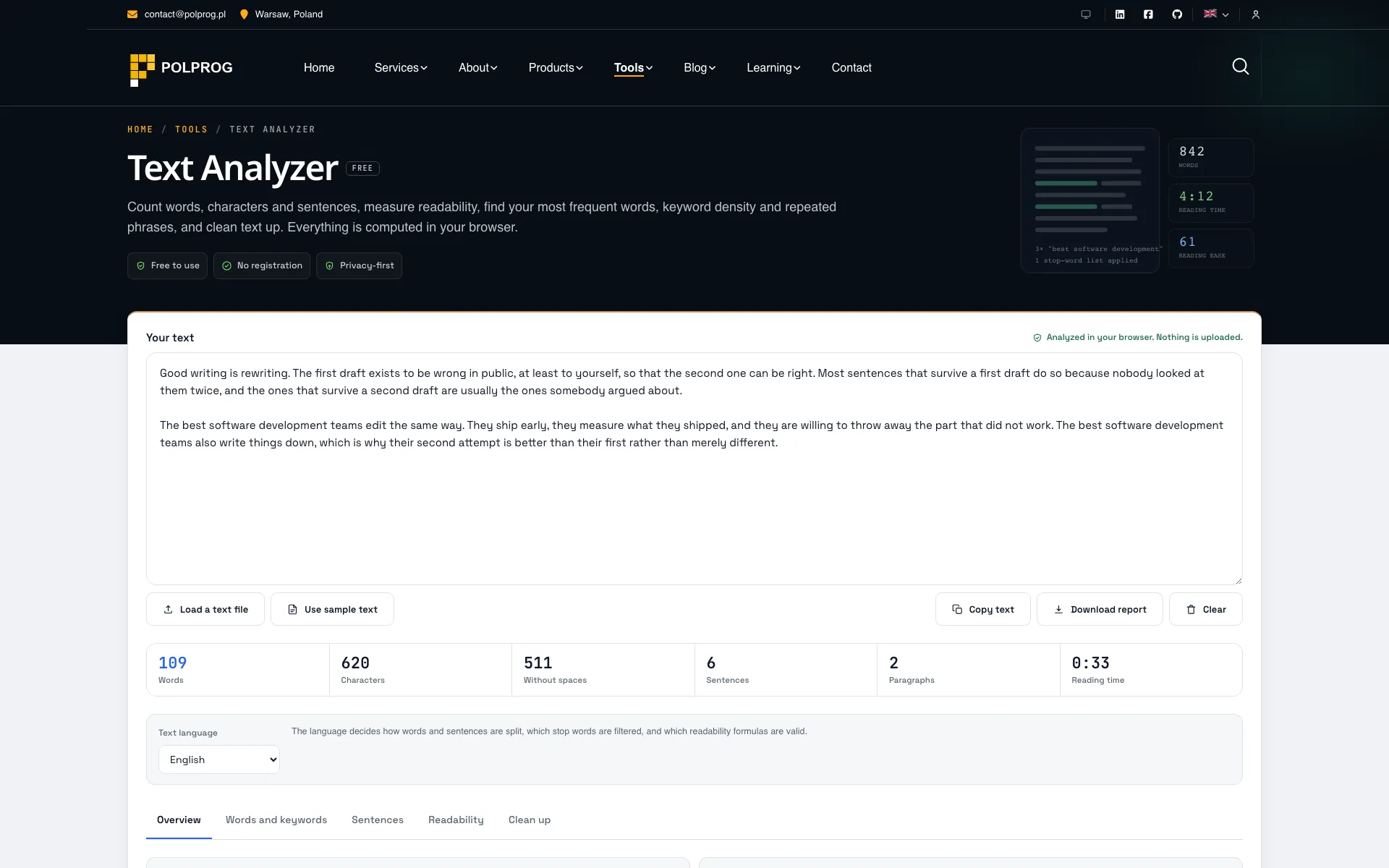
Five panels over one text box: overview, words and keywords, sentences, readability and clean up. Everything is recomputed as you type, on this device.
Words are segmented, not split on spaces. Counting with a regular expression gets Chinese, Japanese and Thai wrong, and mangles hyphenated and apostrophised words in European languages. This uses the browser Intl segmenter and rejoins hyphenated forms, so "state-of-the-art" is one word and a line of Japanese has a real word count rather than a character count.
Readability is language-specific, or it is not offered. Flesch Reading Ease was fitted to English and means nothing applied to Polish. So the page offers the six English measures for English, FOG-PL for Polish, Wiener Sachtextformel for German, Flesch-Douma for Dutch, Kandel-Moles for French, Fernandez Huerta for Spanish and Indice Gulpease for Italian - and LIX, which is a European measure rather than an English one, for everything. No score is shown below 100 words, because none of these formulas means anything on a sentence.
There is no AI detection and no plagiarism check here, because neither can be done honestly in a browser, and a confident wrong answer about either does real damage to a real person.
The most important capabilities, explained in practical terms.
Words, characters with and without spaces, sentences, paragraphs, unique words and reading time - segmented with the browser Intl segmenter rather than split on whitespace.
One-, two- and three-word phrases ranked by frequency and density, with a stop-word list for each of the ten interface languages so the results are about the subject.
Length distribution, the longest sentences called out, and the average - the numbers behind "this reads as heavy" rather than the impression.
Six English formulas plus FOG-PL, Wiener Sachtextformel, Flesch-Douma, Kandel-Moles, Fernandez Huerta and Indice Gulpease, and LIX for every language. Nothing is scored below 100 words.
Collapse whitespace, normalise quotes and dashes, strip HTML, change case and remove empty lines, with the result shown before you copy it.
Word counter, character counter, keyword density checker, readability checker and case converter each have their own page opening on that panel.
A distribution says a fifth of your sentences are long; the text itself says which ones. Every sentence is shaded by length, in the same bands the chart counts, so the rewrite has somewhere to start.
Pin a version, rewrite it, and the word count, sentence count, average sentence length and lexical diversity stand side by side with the change between them. Editing is a before-and-after job, and this is the after.
Set a length in words or characters and watch the progress towards it. What is in the box is kept in your browser, so a closed tab is not a lost paragraph, and the word and phrase tables leave as a CSV.
A clear path from the official source to your first successful workflow.
Use one of the official links available for your device or browser.
Follow the store instructions or open the web application. No third-party installers.
Review the options, choose your preferences and start with the core workflow.
A transparent look at the core technologies used to build and maintain this product.
Your data stays on your device. Always.