
Click, Keypress, Submit, Scroll Triggers
FlowTrace starts from a concrete user action and traces what happens next, instead of explaining the web stack in the abstract.


Visualizing What Happens Behind a Click
Educational visualization of the full web request and render flow.
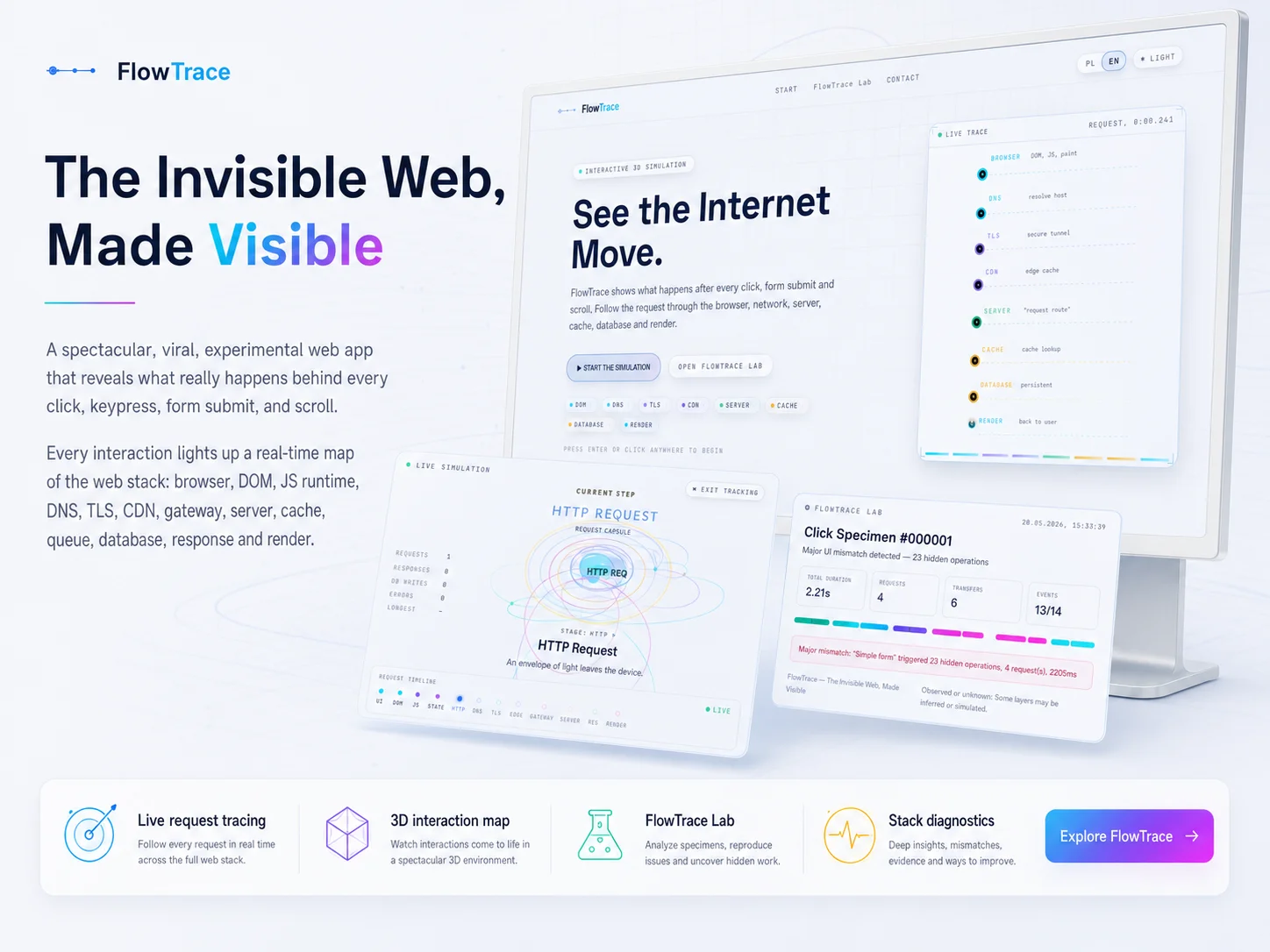
FlowTrace is an experimental educational web application that visualizes what really happens behind common user actions: a click, a keypress, a form submit, a scroll. It traces the request and render path across the full web stack - browser event loop, DOM, JavaScript runtime, DNS, TLS, CDN, gateway, server, cache, queue, database, response and render - and turns each layer into something a developer or student can see and step through.
The project explores several interactive modes, including a high-level system view, a cinematic journey along the request path, a first-person flow through the stack and a scenario builder for custom flows, alongside a FlowTrace Lab concept for hands-on experimentation.
The most important capabilities, explained in practical terms.
FlowTrace starts from a concrete user action and traces what happens next, instead of explaining the web stack in the abstract.
Each visualization walks the same path: browser event loop, DOM, JS runtime, DNS, TLS, CDN, gateway, server, cache, queue, database, response and back to render.
An interactive 3D scene shows requests moving through the stack in real time so the order, fan-out and bottlenecks are visible at a glance.
System view for the big picture, cinematic journey for guided playback, first-person flow for the stack-from-inside perspective, and a scenario builder for custom flows.
An exploratory sandbox concept where individual layers can be inspected, toggled or made to fail, to see how the rest of the stack reacts.
Designed for developers, students and bootcamps - the goal is intuition about how a real request travels, not a marketing demo.
A clear path from the official source to your first successful workflow.
Use one of the official links available for your device or browser.
Follow the store instructions or open the web application. No third-party installers.
Review the options, choose your preferences and start with the core workflow.
A transparent look at the core technologies used to build and maintain this product.
Your data stays on your device. Always.