
Real-Time Readiness Scoring
Instantly see whether your repositories are ready to ship. Each repo is scored against branch naming conventions, staleness thresholds, and layer rules - with a global readiness percentage at a glance.


Unified Developer Operations Portal
Are we ready to ship? One dashboard, clear answer.
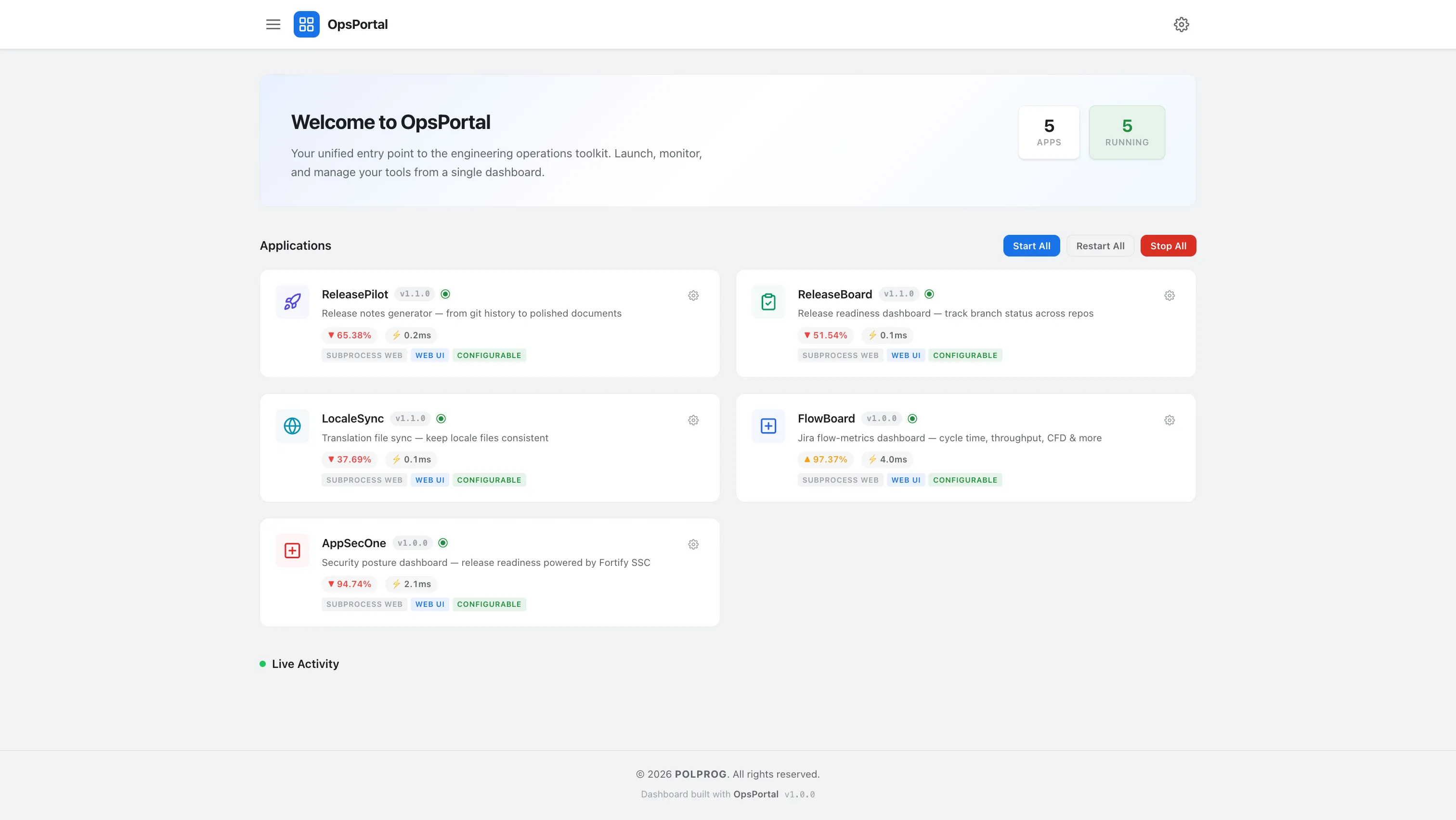


OpsPortal is an open-source ops-portal dashboard that analyzes your Git repositories against configurable branch conventions and gives engineering teams a single, clear answer: are we ready to ship? The interactive dashboard provides real-time readiness scoring, layer-by-layer breakdown (UI, API, DB, or any custom grouping), staleness detection for inactive branches, and an attention panel that highlights exactly what needs action. A guided setup wizard auto-discovers repositories from GitHub and GitLab organizations, so you're up and running in minutes - no YAML, no complex configuration. Features include three-tier override rules (global → layer → repo), a configuration panel with live validation, JSON import/export, static HTML snapshots for stakeholders, a release calendar, and five predefined dashboard layouts. Light and dark themes, drag-and-drop widget reordering, and print-friendly output round out the experience.
The most important capabilities, explained in practical terms.
Instantly see whether your repositories are ready to ship. Each repo is scored against branch naming conventions, staleness thresholds, and layer rules - with a global readiness percentage at a glance.
Group repositories into logical layers - UI, API, Database, Infrastructure, or any custom grouping. Each layer gets its own readiness score and visual breakdown.
Auto-discovers repositories from GitHub and GitLab organizations. Walk through a step-by-step configuration - no YAML or manual editing needed to get started.
Automatically flags repositories that need action - missing branches, stale branches, naming violations, and errors. Staleness thresholds are fully configurable.
Choose from Executive, Release Manager, Engineering, Compact, or Default views. Each layout shows different sections and levels of detail tailored to the audience.
Visual calendar showing planned releases with countdown, status indicators, and milestone tracking. Integrates with the dashboard for ops-portal context.
Choose between light and dark theme. The interface adapts to your preference and stays consistent across all embedded tools.
A clear path from the official source to your first successful workflow.
Use one of the official links available for your device or browser.
Follow the store instructions or open the web application. No third-party installers.
Review the options, choose your preferences and start with the core workflow.
A transparent look at the core technologies used to build and maintain this product.
Your tools stay under your control. OpsPortal runs entirely on your machine.