
Audio Analysis
Audio is loaded, decoded and analysed across six dimensions that drive every visualisation.


Turn Any Song Into Visual DNA
Generative visualization built from a song's rhythm, harmony and dynamics.
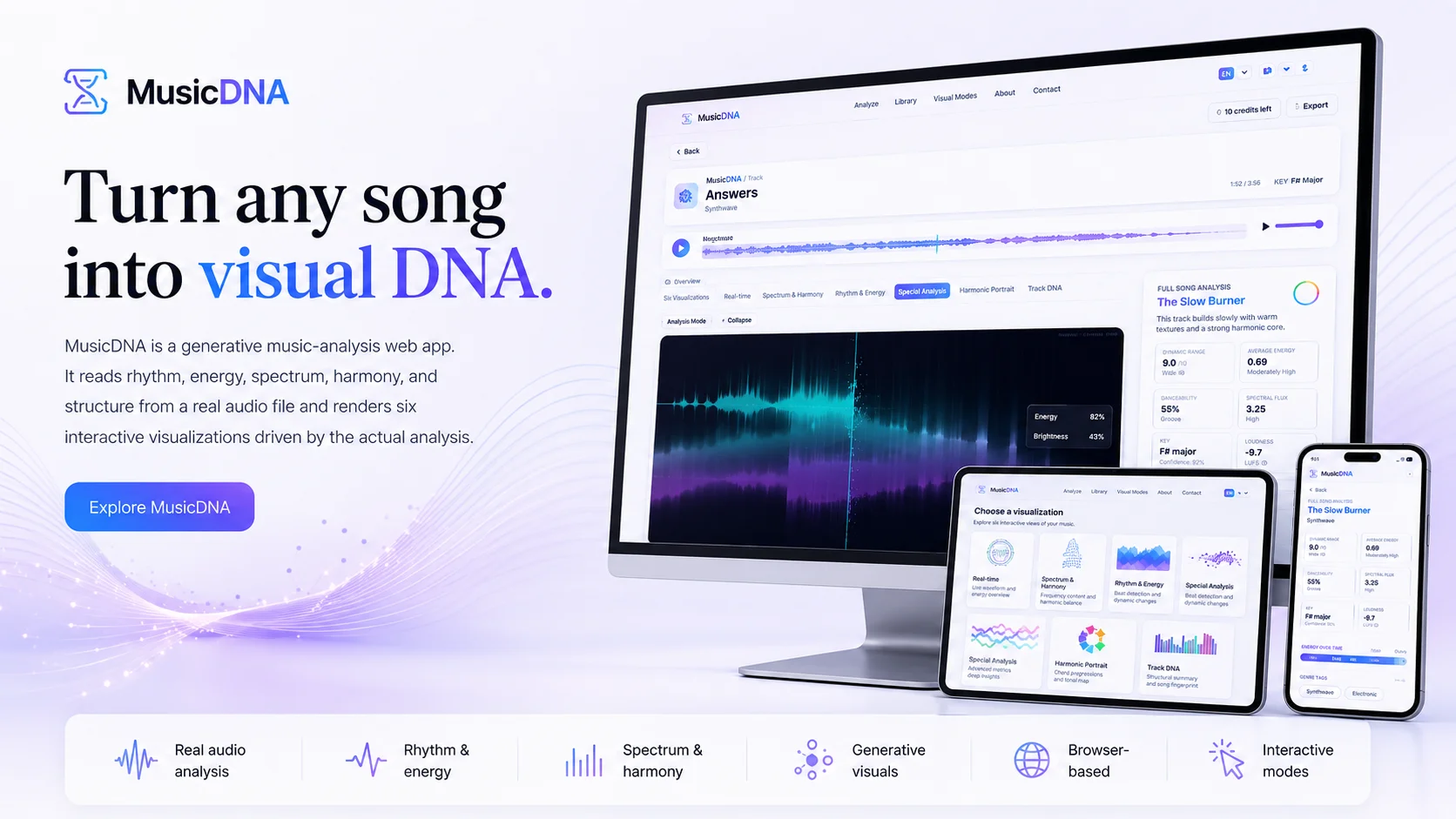
MusicDNA turns any song into visual DNA. It analyses a real audio file - not a generic preview or metadata - and extracts six dimensions: rhythm, energy, spectrum, harmony, structure and dynamics. The output is a set of interactive visualisations rather than a single static plot.
MusicDNA comes with a set of predefined tracks, and the analysis is handled by the app and turned into interactive visualisations - with no account and no setup required.
The visualisation set being explored by the project includes a waveform landscape, a rhythm constellation, a spectral aurora, a harmonic portrait, a sound genome and a song city. Each one is exposed only once it is actually implemented. MusicDNA sits somewhere between an analysis tool and a generative art piece.
The most important capabilities, explained in practical terms.
Audio is loaded, decoded and analysed across six dimensions that drive every visualisation.
Rhythm, energy, spectrum, harmony, structure and dynamics are extracted in parallel - the same file feeds every visualisation.
The waveform is rendered as a 3D-feel landscape rather than the usual flat line - amplitude becomes terrain.
Beats, accents and rhythmic patterns are mapped as a constellation of points, so groove becomes a shape.
Spectrum and harmony are rendered as an aurora and a harmonic portrait, exposing how the song uses frequency and chord colour.
A condensed sound genome view summarises the track's identity; the song city builds a small skyline keyed to its structure.
Each visualisation is interactive - the user can navigate, zoom and inspect, not just look at a static image.
A clear path from the official source to your first successful workflow.
Use one of the official links available for your device or browser.
Follow the store instructions or open the web application. No third-party installers.
Review the options, choose your preferences and start with the core workflow.
A transparent look at the core technologies used to build and maintain this product.
Your data stays on your device. Always.