

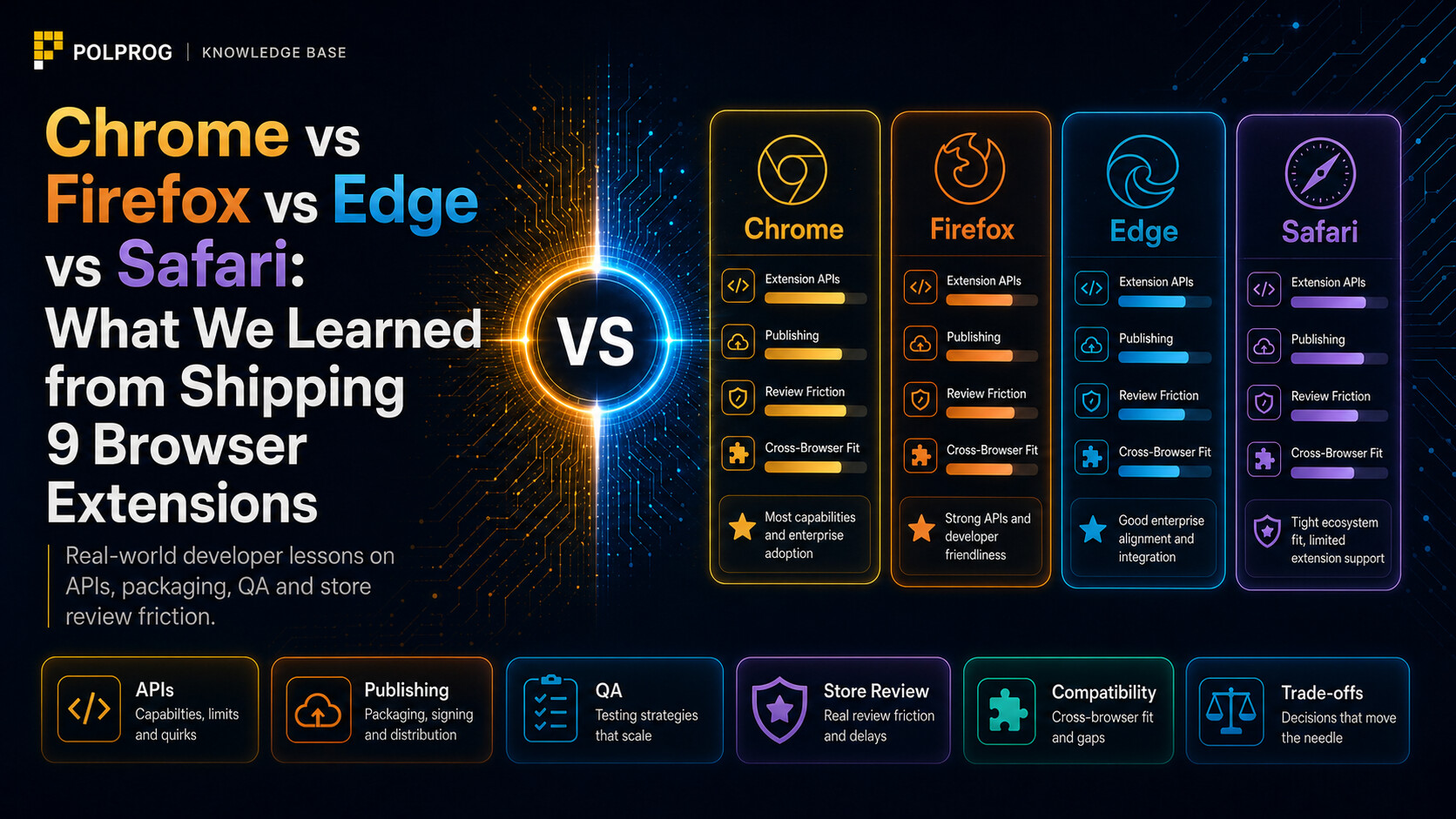

On paper, a modern browser extension should almost automatically be a cross-platform product. Chrome, Firefox, Edge and Safari support WebExtensions, use a similar manifest.json file and expose comparable mechanisms: content scripts, storage, communication between contexts, a toolbar button and settings pages.
That is true, but only up to a point.
After shipping and porting nine POLPROG extensions, we now know that shared code does not mean a shared product. Most business logic can be reused, but browser behaviour, the background-process lifecycle, the interface, permissions, packaging and store review remain separate problems.
The portfolio includes:
- AutoScroll,
- ClickClean,
- DevScope,
- LeakLens,
- LoopIt,
- Loudly,
- OneMoreJump,
- TabZoo,
- TubePilot.
These are not nine copies of the same kind of add-on. The set includes tools for video, audio amplification, privacy, data cleaning, development, tab management and a lightweight game. As a result, the problems were not limited to one API. They involved service workers, popups, content scripts, audio, storage, icons, permissions and the publishing process.
POLPROG publicly maintains nine extension products, initially released mainly for Chrome and Firefox, with later ports also covering Edge and Safari. [1][2]
This article is not a laboratory benchmark. We did not record every minute spent on each store from the first commit, so we will not claim that Safari costs exactly 2.7 times more than Chrome or that 94% of the code is shared. That would be false precision.
We can, however, show something more useful: which assumptions turned out to be wrong, where real failures appeared and how we would design the whole process from scratch today.
Sources last verified: 17 July 2026.
Four browsers, four different roles
| Platform | Role in our process | Biggest advantage | Most common trap |
|---|---|---|---|
| Chrome | Main Manifest V3 compatibility baseline | Broadest documentation and extension market | Suspended service worker and strict permission requirements |
| Edge | Chromium-based port | Small code difference compared with Chrome | Separate Partner Center, metadata and certification |
| Firefox | Independent WebExtensions implementation | Excellent at exposing Chromium-dependent assumptions | API and manifest differences, signing and source requirements |
| Safari | Separate product in the Apple ecosystem | Access to macOS, iOS and iPadOS users | Xcode, container app, signing and different runtime behaviour |
MDN emphasises that WebExtensions aims to let add-ons run in major browsers after minimal changes, while also documenting important differences between Chrome, Firefox and Safari in API availability, manifests and asynchronous-operation handling. [7][8]
That matches our experience well. “Minimal changes” is realistic for a simple add-on. The more an extension interacts with pages, media, tab lifecycles or background processes, the less useful the word “minimal” becomes.
Lesson 1: one codebase, yes; one manifest, not necessarily
The best starting point is shared logic with separate build configurations.
In practice, the most convenient structure was one in which the following are shared:
- feature logic,
- data models,
- storage modules,
- validation,
- most of the popup and settings UI,
- localisation,
- unit tests.
The following remain separate:
- manifest variants,
- add-on identifiers,
- minimum browser versions,
- background configuration,
- some permissions,
- icons and store assets,
- packaging,
- signing,
- publishing scripts.
This does not mean maintaining four manually copied directories. That quickly creates divergence. A better model is shared source code plus a generator or configuration layer that prepares a separate artefact for each platform.
Firefox, for example, requires its own settings under browser_specific_settings. In Manifest V3, an extension ID is needed for signing, and since November 2025 new add-ons submitted to AMO must also declare data-collection settings. [9]
Safari, in turn, requires an Xcode project and an application containing the extension. Apple provides a WebExtension converter, but the output still has to be treated as a native project intended for signing and App Store distribution. [3][4]
A shared manifest would therefore be artificial savings. It is easier to maintain a few small, explicit differences than one file full of exceptions and conditions.
Lesson 2: Manifest V3 did not unify browser behaviour
Manifest V3 improved part of the compatibility story and formalised the extension model, but it did not create one identical runtime.
The most visible change in Chrome is the replacement of persistent background pages with an extension service worker. Google describes it as a central event handler launched when needed. The process may be terminated, and variables stored only in memory disappear with it. [5][6]
That has direct consequences.
Code such as:
let activeSessions = new Map();
let currentTab = null;
let isEnabled = false;
cannot be the only source of truth if the data is needed after the service worker starts again.
State should be divided into three groups:
- temporary state that can safely disappear;
- state reconstructable from active tabs or the DOM;
- persistent state that must be written to
storage.local,storage.sessionor another appropriate location.
Listener registration matters just as much. Chrome recommends declaring event handlers in the script's global scope so that they are registered synchronously when the service worker wakes up. A listener created only after asynchronous initialisation may miss the event that woke the worker in the first place. [10]
This is easy to miss in development. An open DevTools window can affect the service-worker lifecycle, and the bug may appear only during normal extension use. Google described similar issues in an analysis of Manifest V3 migrations: suspending the process can interrupt timers and remove state stored in memory. [11]
The main rule is therefore:
An extension background process should be designed as an interruptible event handler, not as a small Node.js server that runs continuously.
Lesson 3: Chrome is a good starting point, but a poor only testing environment
Chrome is the natural baseline for a Manifest V3 project. It has extensive documentation, examples, developer tools and the largest add-on ecosystem.
At the same time, testing only in Chrome creates a false sense of compatibility.
If code works in Chrome and Edge, it primarily confirms compatibility with Chromium. It does not confirm:
- correct behaviour in Gecko,
- correct behaviour in WebKit,
- resilience to a different popup lifecycle,
- operation under a different permission model,
- correct icon scaling,
- correct audio behaviour,
- identical API semantics.
The Chrome Web Store requires an extension to have one narrow, easy-to-understand purpose. It also requires the minimum permission set, justification for each permission and consistent data-practice declarations. Excessively broad permissions can lead to rejection. Manifest V3 also forbids loading and executing remotely hosted code. [12]
These requirements affect architecture earlier than expected. Adding access to all websites “just in case” is not neutral. It must later be justified to the reviewer and the user. A better solution may be activeTab, optional host permissions or access restricted to specific domains.
Chrome therefore taught us two opposite things:
- it is a good place to establish the basic MV3 variant;
- it should not define every assumption in the shared layer.
Lesson 4: Edge is the easiest technical port, but not a free distribution channel
Microsoft officially describes porting an existing Chrome extension to Edge as a separate, supported scenario. Because both browsers use Chromium, differences in the core code are often small. [13]
In our projects, Edge usually required the fewest technical changes. That still did not mean publishing “with one click”.
The extension goes to a separate Partner Center, where the publisher must:
- upload a dedicated ZIP package,
- configure availability and markets,
- select a category,
- describe the single purpose,
- justify every permission,
- declare remote-code use,
- describe data practices,
- prepare listings for each language,
- upload separate graphics and screenshots,
- add notes for the certification team. [14]
Like Google, Microsoft requires a clearly defined purpose and the smallest necessary permission set. Partner Center also warns that incomplete or inconsistent declarations can extend certification or lead to rejection. [14]
Edge is therefore a good example of the difference between porting cost and channel cost.
The code may be almost identical, but the team still has to maintain:
- a separate product record,
- a separate review status,
- separate metadata,
- separate graphic variants,
- a separate update process,
- consistency across privacy declarations.
For one extension, this is a moderate overhead. For nine products, it becomes a recurring operational process.
Lesson 5: Firefox best detects code written “accidentally only for Chrome”
Firefox uses WebExtensions, but it is not Chromium. That is exactly why it is such a valuable testing environment.
The best-known difference concerns the namespace and asynchronous code. Chrome historically used chrome and callbacks, while Firefox and Safari used browser and promises. In Manifest V3, Chrome and Edge added promise support for many methods, but not every difference disappeared. Mozilla recommends writing code with browser and promises and using the WebExtension browser API Polyfill where needed. [8][15]
It is not worth scattering conditions such as:
if (isFirefox) {
  // ...
} else {
  // ...
}
through every API call. It is better to create a small adapter layer:
export const extensionApi = {
  storageGet: (keys) => browser.storage.local.get(keys),
  storageSet: (value) => browser.storage.local.set(value),
  sendMessage: (message) => browser.runtime.sendMessage(message),
};
and resolve differences in one place.
Firefox also forces greater publishing discipline. Extensions must be signed, even when distributed independently under the standard configuration. AMO validates the package, and minified or difficult-to-read code may require a complete source package. Mozilla may also perform a manual review after publication and reject the current or an earlier version. [16][17][18]
From a quality perspective, this is an advantage. The process forces the build to be:
- reproducible,
- documented,
- free from unnecessary obfuscation,
- consistent with the declared behaviour,
- reviewable without inside knowledge from the author.
Firefox also exposed issues where Chromium was more forgiving. These involved message handling, waiting for a promise response, popup differences and assumptions about the presence of selected API properties.
The main lesson:
Firefox is not an extra checkbox after the project is finished. It is a second independent runtime that should enter testing early.
Lesson 6: Safari is not a store port, but a separate product stage
Apple supports WebExtensions and provides a tool for converting extensions from Chrome, Firefox or Edge. Even so, the Safari process is fundamentally different. [3][4]
The extension becomes part of an application built in Xcode. The team has to manage:
- the application project,
- the extension target,
- the application bundle identifier,
- a separate extension bundle identifier,
- signing,
- profiles and certificates,
- the application icon,
- entitlements,
- archiving,
- App Store Connect,
- App Store review.
Apple requires the extension to work with the current Safari version for the relevant operating system, not interfere with Safari's UI and not request access to more websites than necessary. [19]
This is where the most concrete problems in our portfolio appeared.
Loudly: the interface worked, but the sound was not amplified
Loudly is an extension that modifies audio played on a website. In the Safari version, the interface could be displayed, settings could be changed and the product appeared to work. The actual audio signal, however, was not amplified.
That is a worse class of bug than an obvious crash. The smoke test “the popup opens” passes, but the product's core promise is not fulfilled.
Conclusion: for multimedia extensions, functional testing must measure the final effect, not merely the UI state.
TabZoo: a white screen instead of the application
The Safari version of TabZoo could display a blank white page. Such a problem may result from an initialisation failure, asset paths, the wrong context or an exception thrown before rendering.
In Chromium, a similar error may stay hidden if startup order or API availability differs.
Conclusion: every extension view should have a minimum diagnostic mechanism and initialisation-error handling. A blank page cannot be the final state of the product.
LoopIt: one click opened two interfaces
In LoopIt, clicking the icon in Safari caused one popup and an additional extension panel to appear. This was an example of a conflict between a declaratively configured popup and manual click handling.
In one browser, the behaviour appeared correct; in another, it produced a double reaction.
Conclusion: it must be explicit who owns the toolbar-button click. Either the button has a default_popup, or the event is handled programmatically. Combining both mechanisms requires very deliberate design.
These three cases show why running Apple's converter does not complete the port. The converter transfers structure. It does not confirm behavioural semantics.
Lesson 7: video and audio extensions are harder than the popup suggests
Four of our products depend heavily on media:
- AutoScroll,
- LoopIt,
- Loudly,
- TubePilot.
Each one has to coordinate several worlds:
- the page DOM,
- the audio or video element,
- the content script,
- the popup,
- the background process,
- saved settings,
- SPA navigation,
- active-tab changes.
Most bugs appear not inside one function, but at the boundary between these contexts.
An example scenario:
- the user opens the popup;
- the popup asks the content script for the current state;
- the page has just changed the video without a full reload;
- the old video element has been removed;
- the content script still references the previous element;
- the popup shows a correct value, but modifies an inactive player.
Adding another setTimeout is not a solution. An explicit state model is needed:
- identify the active element,
- observe DOM changes,
- reconnect handlers,
- confirm command execution,
- update the UI only after a response,
- restore state after the background process restarts.
For services such as YouTube, SPA navigation is another concern. Changing the video does not always trigger a full document reload, so one-time content-script initialisation is not enough.
Lesson 8: the icon and popup are part of the implementation, not just branding
A cross-platform build can be technically correct and still look wrong.
In our tests, icons appeared:
- too large for their container,
- without a safe margin,
- touching the edges,
- visually smaller than other extension icons despite using the same file dimensions,
- correct in the store but unreadable in the browser toolbar.
The PNG dimensions do not solve the problem. What matters is the visual size of the symbol inside the canvas.
The same applies to popups. The same CSS width can be displayed differently because of:
- font rendering,
- default form-control styles,
- scrollbar behaviour,
- height calculation,
- system margins,
- display scaling,
- light and dark mode.
We therefore prepare assets as a set, not as one image:
- source SVG,
- raster variants required by the manifest,
- controlled safe area,
- Safari application icon,
- listing graphics,
- store screenshots.
The extension UI should also have minimum and maximum dimensions and remain readable when translation length changes.
Lesson 9: publishing is a separate operational product
The biggest organisational mistake would be assuming that work ends after generating the ZIP file.
Each store has its own trust model.
Chrome Web Store
Chrome requires a clear, single purpose, minimal permissions, data declarations and a privacy policy. Remotely executed code is prohibited in Manifest V3. [12]
The product description must match actual behaviour. If the listing promises a feature that the reviewer cannot run, this is not a marketing issue but a certification issue.
Firefox Add-ons
AMO automatically validates the package, may require source files for built code and retains the ability to perform later manual review. Security and privacy warnings are worth fixing even when it is technically possible to continue. [16][17]
Microsoft Edge Add-ons
Partner Center requires separate information for availability, privacy and language listings. Every permission should be justified, and the information must match the manifest and the extension's behaviour. [14]
Safari and the App Store
Safari adds an application layer, signing, App Store metadata and the guidelines that apply to Apple applications. The extension must work with the current Safari version and restrict website access to the necessary minimum. [19]
As a result, nine extensions do not mean nine listings. With full coverage across four platforms, there can be up to 36 product-browser combinations, before counting language versions and separate Apple-device variants.
That is reason enough to keep metadata in the repository.
Lesson 10: you need a test matrix, not a note saying “check the extension”
For every extension, we keep the same test core and then add cases specific to its function.
Minimum smoke test
After every build, we check:
- clean installation;
- upgrade from the previous release;
- toolbar icon appearance;
- popup opening;
- absence of initialisation errors;
- saving and rereading settings;
- operation after closing and restarting the browser;
- operation after background suspension;
- behaviour when page permission is missing;
- behaviour on an unsupported page.
Communication test
We separately test:
- popup → background,
- popup → content script,
- content script → background,
- asynchronous response,
- no active tab,
- tab reload,
- SPA navigation,
- content-script reinjection,
- popup closing before the response arrives.
Feature-specific test
For Loudly, moving the slider is not enough. The audio-level change must be confirmed.
For LoopIt, the test must verify that playback actually returns to the selected range.
For AutoScroll, different layouts, fullscreen mode, video changes and manual scrolling must be tested.
For ClickClean, the test must verify the effect on real test data, not just the “done” message.
For DevScope and LeakLens, the report must be checked on websites with different CSP rules, frame counts and header sets.
Platform-specific test
Finally, browser-specific cases are added:
- service-worker restart in Chromium,
- signed Firefox package,
- Firefox host permissions,
- Safari extension installation and activation,
- macOS and iOS versions where supported,
- update through the store rather than only local sideloading.
Lesson 11: automated tests do not replace real browser QA
Automation is necessary, but it has limits.
Unit tests are good for:
- business logic,
- validation,
- storage migrations,
- data formatting,
- feature-enablement rules.
Integration tests can check:
- the manifest,
- file presence,
- communication between modules,
- basic API calls,
- localisation completeness.
E2E tests in Chromium catch a large share of UI and content-script regressions.
They do not confirm that:
- Firefox interprets every permission identically,
- Safari correctly modifies audio,
- the App Store launches the proper target,
- the popup is not opened twice,
- the icon looks correct in the system toolbar.
The most expensive bugs in our ports were not bugs easily caught by unit tests. They were integration failures between the extension, browser, website and operating system.
Lesson 12: the compatibility layer should describe capabilities, not browser names
At the start of a project, a condition such as this is tempting:
if (browserName === "safari") {
  // special behaviour
}
Sometimes it is unavoidable, but it should not be the main architectural model.
Better questions are:
- does the environment support the API?
- is the popup declarative?
- is the background a service worker?
- is a specific method available?
- does the feature require a native container?
- does the page expose the media element we need?
Capability-based code is more resilient to version changes and easier to test.
A platform layer can expose, for example:
export const capabilities = {
  supportsSessionStorage: Boolean(browser.storage?.session),
  supportsSidePanel: Boolean(browser.sidePanel),
  usesServiceWorker: import.meta.env.BACKGROUND_MODE === "service-worker",
  isSafariContainer: import.meta.env.TARGET === "safari",
};
This does not eliminate differences. It makes them explicit and concentrated in one place.
Lesson 13: privacy-first design genuinely simplifies publishing
POLPROG extensions are designed without analytics, tracking and an external backend where those are not needed.
That is not only a branding decision. It simplifies:
- data-flow descriptions,
- the privacy policy,
- permission justification,
- code review,
- breach risk,
- consistency between the listing and the code.
That does not mean a privacy-first extension needs no documentation. If an add-on reads page content, history, tabs or cookies, it must clearly explain why, even if nothing is sent to a server.
Chrome and Edge require permission justification and data-practice declarations. Firefox requires new add-ons to provide information about data-collection permissions. Safari recommends restricting website access to the necessary minimum. [9][12][14][19]
Designing with minimum permissions from day one is much easier than removing excessive permissions after rejection.
Lesson 14: the release pipeline should build products, not a final-final.zip archive
With nine extensions, manual packaging quickly stops being safe.
A good pipeline should:
- check the version;
- validate the base manifest;
- generate the platform manifest;
- build the code;
- copy the correct icons;
- check for remote code;
- run tests;
- generate separate artefacts;
- create checksums;
- prepare the changelog and store information.
Example output:
dist/
  loudly/
    chrome/loudly-1.4.0.zip
    edge/loudly-1.4.0.zip
    firefox/loudly-1.4.0.xpi
    safari/Loudly.xcarchive
The version should come from one source of truth, but the artefacts do not have to be identical.
It is also worth automatically checking for:
- prohibited files,
- source maps,
- secrets,
- unused permissions,
- missing localisations,
- incorrect icon paths,
- version mismatch between manifests.
Automation does not remove store review. It removes errors that should never reach a store reviewer.
Which browser proved easiest?
The answer depends on what is being measured.
Easiest starting point: Chrome
The most documentation, examples and tooling. A good choice for building the base MV3 version.
Easiest code port: Edge
If the Chrome version is correct, technical differences are often small. Separate publishing work remains.
Best independence test: Firefox
It is not always the simplest, but it delivers a great deal of value. It exposes code accidentally tied to Chromium and forces build discipline.
Highest total effort: Safari
Not only because of the API. Xcode, the application, signing, the App Store and Apple-device testing are added. The Loudly, TabZoo and LoopIt issues also showed that a working interface does not mean a working feature.
What would we do differently if we started today?
Safari would be part of the plan from the first sprint
It would not need the full feature set immediately. There should, however, be a working Xcode project skeleton and regular tests of the basic flow.
Firefox would enter CI earlier
Not only the build, but tests running in a real Firefox instance.
Every feature would have a state owner
Before implementation, we would decide whether the state belongs to the content script, background, popup or storage. Many communication bugs come from not having a clear answer.
Permissions would be designed together with the feature
Every new permission should have:
- a technical justification,
- store-facing copy,
- a denial scenario,
- a test of behaviour without consent.
The listing would live in the repository
The description, short summary, release notes, search terms, privacy policy and graphics should have change history.
We would measure data from the first release
The next stage of this report should include:
- time from submission to publication,
- number of rejections,
- reason for each rejection,
- number of platform-specific changes,
- number of regressions detected only outside Chrome,
- time required to prepare an update,
- size of the shared and platform-specific code.
We are not reconstructing those figures from memory today because we want to separate experience from statistics. In future, they will support even more precise reports.
Recommended cross-platform extension architecture
src/
  core/
    domain/
    storage/
    validation/
  platform/
    api.ts
    capabilities.ts
    messaging.ts
  background/
  content/
  popup/
  options/
  locales/

manifests/
  chrome.json
  edge.json
  firefox.json
  safari.json

store/
  chrome/
  edge/
  firefox/
  safari/

tests/
  unit/
  integration/
  e2e/
  manual/
The division of responsibilities is what matters:
coreknows nothing about a particular browser;platformtranslates WebExtensions into a shared interface;- UI surfaces are shared where practical;
- manifests and store assets are explicitly platform-specific;
- manual tests have written scenarios rather than existing only in the author's memory.
Verdict
The most important lesson from nine extensions is simple:
WebExtensions makes it possible to maintain one shared product, but it does not remove the need to create four correct releases.
Chrome provides the best starting point. Edge is usually the easiest technical port. Firefox is the most valuable test of genuine compatibility. Safari requires the extension to be treated as part of an Apple application, not as another ZIP variant.
The biggest problems did not appear where a single API method lacked an equivalent. They appeared at the intersection of:
- process lifecycle,
- state,
- the website,
- the interface,
- permissions,
- packaging,
- store review.
That is why an effective team does not begin with the question: “How do we copy the Chrome extension into three other stores?” It begins with:
- what is the shared product core?
- which capabilities are platform-specific?
- where is state stored?
- how will we verify the actual effect of a feature?
- how will permissions be minimised?
- how will every build be reproduced?
- how will an update, rather than only a clean installation, be tested?
After these experiences, we still consider one codebase the right strategy. We simply do not pretend that four browsers are one environment.
Accepting the differences is exactly what makes code sharing possible without lowering quality.


