

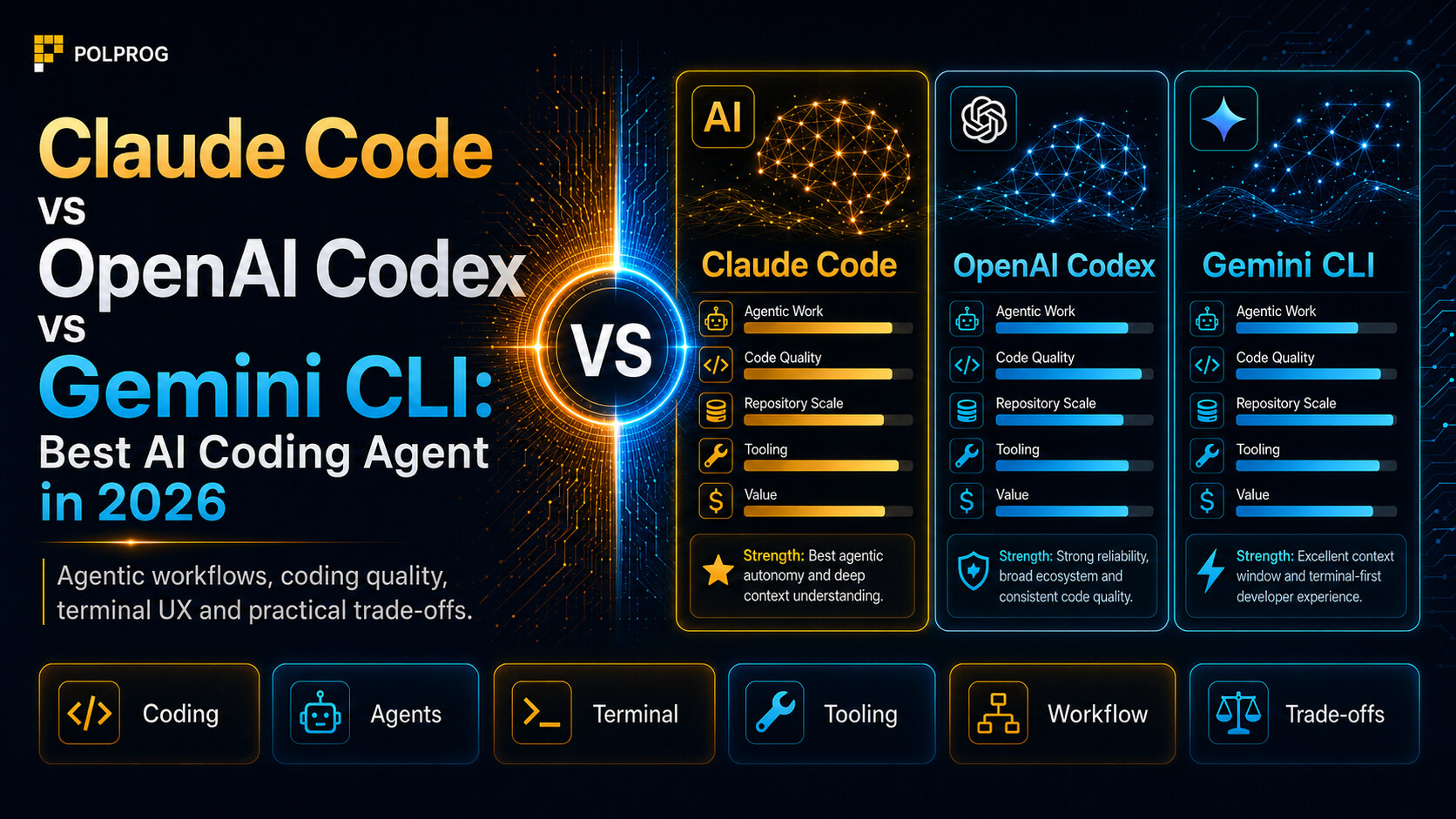

Not long ago, choosing an AI coding tool came down to one question: which model suggests the next line of code most accurately? In 2026, that question is far too narrow.
Claude Code, OpenAI Codex, and Gemini CLI are not ordinary autocomplete tools. They can inspect a repository, modify many files, run builds, fix errors, prepare tests, work with Git, and call external tools. The difference is therefore not only the quality of generated code. What matters much more is how the agent plans its work, how long it maintains context, what it can do without asking, and how easily a human can control its changes.
After comparing the current versions carefully, there is no single winner for every team.
Claude Code is currently the best choice for everyday, interactive work on a real repository. OpenAI Codex wins when you need to delegate many independent tasks, run them in the background, and supervise several agents at once. Gemini CLI remains a highly flexible, open tool for companies tied to Google Cloud, but since June 18, 2026, it has no longer been the standard consumer path for Google AI Pro and Ultra users. [1][2][3]
That last point matters because many comparisons online still describe Gemini CLI as if an individual developer could simply sign in with a Google account and use the former limits. Google officially ended that path and directs those users to Antigravity CLI. [3]
Last verified: July 17, 2026.
Important change: Gemini CLI is no longer the standard consumer option
Since June 18, 2026, Gemini Code Assist for individuals, Google AI Pro, and Google AI Ultra has stopped serving requests sent through Gemini CLI. The “Sign in with Google” option was also removed for those tiers. Google recommends migrating to Antigravity CLI. [3]
Gemini CLI has not been shut down entirely. It still works for:
- Gemini Code Assist Standard and Enterprise,
- paid Gemini API keys,
- Vertex AI,
- selected organizational accounts and Google Cloud environments.
The project remains actively developed and is published under Apache 2.0. The issue is that its market position has changed. Today, it is no longer a direct equivalent of Claude Code and Codex for most independent developers. It is better understood as an open terminal agent for API customers and organizations using the Google ecosystem. [3][4]
It is also worth noting the documentation inconsistency. The main Gemini CLI repository page still describes a free tier using Google-account sign-in, while the official deprecation page says that path has ended. When making a decision, the deprecation notice should take precedence over an older README fragment. [3][4]
Quick comparison
| Category | Claude Code | OpenAI Codex | Gemini CLI |
|---|---|---|---|
| Vendor | Anthropic | OpenAI | |
| Main working style | Interactive partner inside a repository | Delegating and supervising many agents | Open terminal agent for APIs and Google Cloud |
| Default model | Claude Sonnet 5 | GPT-5.6 Sol, medium | Automatic Gemini routing |
| Strongest option | Claude Fable 5 | GPT-5.6 Sol with higher reasoning | Strongest available Gemini Pro |
| Terminal | Yes | Yes | Yes |
| IDE | VS Code, JetBrains | VS Code and extension-compatible editors | VS Code and Code Assist agent mode |
| Desktop app | Yes | Yes | No separate Gemini CLI desktop app |
| Cloud tasks | Yes | Yes, extensively | Through the Google Cloud ecosystem |
| Parallel work | Sessions, subagents, worktrees | Threads, subagents, worktrees, and cloud tasks | Subagents and extensions |
| Project instructions | CLAUDE.md | AGENTS.md | GEMINI.md |
| MCP | Yes | Yes | Yes |
| Hooks | Extensive | Available through extensions and automation | Yes |
| Built-in worktree workflow | Yes | Yes | No equally coherent product layer |
| Open client code | No | Yes, Apache 2.0 | Yes, Apache 2.0 |
| Individual access | Pro from $20/month | Free, Go, Plus, Pro | Google login retired for consumers |
| Best for | Daily coding work | Parallel delivery and delegation | Google Cloud companies and API users |
The feature comparison is based on current vendor documentation. [1][2][4][5][6]
An agent is not a model
Many rankings treat Claude Code, Codex, and Gemini CLI as if they were language models. That is a mistake.
A coding agent consists of at least five elements:
- the model,
- the system prompt,
- the available tools,
- permission and environment rules,
- the way context is managed.
The same agent can produce very different results after changing the model or reasoning level. The same model can also perform differently in two clients if one selects files better, preserves history more reliably, runs tests automatically, or exposes different commands.
Therefore, “Claude Code 83.8%” is not a score for Claude Fable 5 alone. It is the score of a specific setup: Claude Code, Fable 5, a stated effort level, a specific toolset, and a particular test methodology.
This distinction will recur throughout the article because it is essential to a fair comparison.
Claude Code: the best partner for repository work
Claude Code is an agentic tool that reads code, edits files, runs commands, and integrates with the terminal, IDEs, a desktop app, and the browser. Anthropic designs it around a continuous working session: the user assigns a task, watches the analysis, corrects the direction, reviews the changes, and guides the agent through subsequent stages. [1]
In practice, it is the most natural of the three tools for a developer focused on one repository who wants to treat the agent like a very fast team member.
Claude Code handles a typical cycle well:
- understand the project structure,
- find the source of a bug,
- propose a plan,
- change several or dozens of files,
- run tests,
- fix regressions,
- describe the finished diff.
Plan mode separates analysis from file modification. That matters in larger changes because you can review a migration or refactoring plan before the agent touches the code. Anthropic also documents parallel sessions using worktrees, delegation to subagents, and resuming conversations across sessions. [7]
Sonnet 5 is the default; Fable 5 must be selected
The current default Claude Code model is Claude Sonnet 5 with a native one-million-token context window. Fable 5, Anthropic's strongest widely available model, is not selected automatically on accounts. The user must switch to it manually, for example with /model. [8][9]
This matters because the top Terminal-Bench result was achieved with Fable 5, not with the default Sonnet 5.
Fable 5 is also much more expensive through the API: $10 per million input tokens and $50 per million output tokens. Sonnet 5 costs $3 and $15, with a lower promotional price until the end of August. [10]
For most day-to-day work, Sonnet 5 will be the more sensible option. Fable is worth using when the problem is expensive, hard to reproduce, or requires a long period of independent work.
Subagents, skills, and hooks
Claude Code can create specialized subagents with separate context, tools, and permission rules. One agent can search the repository, another can analyze tests, and a third can prepare a security review. The results return to the main session without filling it with every side detail. [11]
The skills system stores reusable procedures. Instead of repeatedly explaining how to prepare a release, migration, or code review, the process can be kept in a SKILL.md file. [12]
Hooks are even more practical because they act deterministically. They can run a formatter after an edit, block a dangerous command, or execute a linter before a task ends. However, shell-command hooks run with the operating-system user's permissions. A badly written hook is therefore as dangerous as a badly written script. [13]
Claude Code's biggest strengths
Claude Code stands out for:
- strong understanding of existing repositories,
- natural step-by-step collaboration,
- a mature planning mode,
- a rich persistent-instruction system,
- subagents with isolated context,
- hooks, skills, and MCP,
- worktree support and parallel sessions,
- availability through terminal, IDE, desktop, browser, and Slack.
Its greatest value appears when the developer does not merely want to “delegate a task,” but wants a long technical conversation about architecture, trade-offs, and successive changes.
OpenAI Codex: best for delegation and parallel work
Codex CLI also runs locally, reads a repository, edits files, and executes available tools. The similarities with Claude Code go further, but OpenAI has developed the product in a different direction. Codex is now not only a terminal agent, but a family of surfaces that includes a CLI, an IDE extension, a desktop app, a web interface, and cloud environments. [2][14]
Codex's strongest feature is not one conversation. It is the ability to run many threads at the same time.
In the desktop app, each agent can work in its own thread and worktree. The developer sees a task list, progress, diffs, and questions requiring a decision. It feels more like managing a small team than a classic pair-programming session. [15]
GPT-5.6 Sol with medium reasoning by default
The current “Power” configuration uses GPT-5.6 Sol with medium reasoning effort. OpenAI also offers Terra and Luna: Terra aims to balance quality and cost, while Luna is faster and cheaper for simpler tasks. Users can manually change both model and reasoning level. [6][16]
This matters when interpreting benchmarks. Codex's 83.1% Terminal-Bench 2.1 score was achieved with GPT-5.5 at xhigh, not with the current default GPT-5.6 Sol medium configuration. A newer model does not automatically lead if it runs with a different reasoning budget or has not yet been tested under the same setup.
Cloud, GitHub, Slack, and Linear
Codex cloud can run tasks in isolated environments, leave them in the background, and compare several attempts at the same problem. A task can start in the web interface, on GitHub, in Linear, or in a Slack thread. [17][18]
This gives Codex an advantage in teams where work often starts outside the terminal. A bug described in Slack can be handed to the agent, linked to a repository, executed in the cloud, and returned as changes for review.
Claude Code can also work in parallel and in the cloud, but Codex presents this style of work more uniformly. The app was designed from the beginning as a “command center” for multiple agents. [15]
Sandbox and permissions
Codex strongly emphasizes the boundary between the agent and the user's system. The documentation separates two mechanisms:
- the sandbox, which determines what the process can technically access,
- the approval policy, which determines when the agent must ask for permission.
By default, the local agent works in a restricted environment, usually around the current workspace, and network access may be disabled. Rules can be tightened or relaxed depending on the project. [19]
This does not guarantee safety, but it makes the limits of agent autonomy easier to understand. Codex fits teams that want centrally defined execution policies and limited system access.
Codex's biggest strengths
Codex is particularly strong at:
- running many independent agents,
- long tasks executed in the background,
- worktree support without manual setup,
- delegation from GitHub, Slack, and Linear,
- comparing multiple solution attempts,
- working from desktop, terminal, IDE, and cloud,
- clearly separating sandboxing from approvals,
- integrating with an existing ChatGPT plan.
For someone working on one problem, Claude Code may feel more direct. For a technical lead who wants to assign refactoring, tests, documentation, and regression analysis at the same time, Codex will often be more convenient.
Gemini CLI: a good agent, but for a different audience than a year ago
Gemini CLI is an open terminal agent under Apache 2.0. It can read and edit large codebases, run commands, use Google Search, fetch web pages, connect to MCP servers, and run non-interactively. It also supports images and other multimodal inputs depending on the selected model. [4]
The project matters to the open AI tooling ecosystem. The client code can be audited, modified, and integrated into custom processes. It supports GEMINI.md, session checkpoints, extensions, subagents, skills, and GitHub Actions integration. [4]
The problem is therefore not missing functionality. The problem is its current distribution model.
After the consumer version was retired
Individual users and Google AI Pro and Ultra subscribers were moved to Antigravity CLI. Gemini CLI still works through the paid Gemini API, Vertex AI, and Gemini Code Assist Standard or Enterprise licenses. [3][20]
For a company already using Google Cloud, that may be an advantage. Authentication, IAM, billing, logs, and data policies stay in one ecosystem. For a freelancer or small team, however, it means extra configuration and a less obvious cost model than Claude Pro or ChatGPT Plus.
Automatic model routing
Gemini CLI can automatically route simpler requests to a Flash model and harder ones to Pro. This strategy saves quota and cost, but makes direct session comparisons harder. Saying that a user ran “Gemini CLI” does not tell us which model performed a given part of the work.
Planning and implementation can also use different models. That is economically sensible, but teams that require precise reproducibility need to log the selected configuration.
Google Cloud and enterprise privacy
For Gemini Code Assist Standard and Enterprise, Google says it does not use customer data to train models without permission. These products operate as business services with IAM controls and Google Cloud security mechanisms. Enterprise can additionally use an organization's private repositories to personalize responses without training the base model on that code. [21][22]
That is a strong argument for organizations already on Google Cloud. It is not a reason for an individual developer to choose Gemini CLI over Antigravity CLI now that Google has officially changed the recommended path.
What does Terminal-Bench 2.1 really say?
Terminal-Bench measures an agent's ability to complete real tasks in a terminal environment. The tasks include software engineering, machine learning, security, and data analysis. [23]
The current public leaderboard showed the following results:
| Configuration | Score |
|---|---|
Claude Code + Claude Fable 5, xhigh | 83.8% |
Codex + GPT-5.5, xhigh | 83.1% |
Claude Code + Claude Opus 4.8, high | 78.9% |
Codex + GPT-5.6 Terra, max | 78.4% |
Codex + GPT-5.6 Luna, max | 75.7% |
Claude Code + Claude Sonnet 5, high | 74.6% |
Gemini CLI + Gemini 3 Pro / 3.1 Pro, high | 65.8% |
The gap between first and second place is less than one percentage point and sits close to the reported uncertainty intervals. There is no basis for claiming that Claude Code crushes Codex. [23]
The results do show three things.
First, Claude Code's highest score requires Fable 5 and a high reasoning level. It is not a typical default session.
Second, current defaults are not necessarily represented directly on the leaderboard. Codex defaults to Sol medium, while Claude Code defaults to Sonnet 5. The benchmark compares selected configurations, not each user's everyday settings.
Third, Gemini CLI trails clearly on this particular test. That does not make it useless, but on the hardest terminal tasks its current scores do not match the two leaders.
Daily work in one repository
This is where Claude Code delivers the most consistent experience.
Its advantage does not always come from one “brilliant” patch. More often, it comes from the quality of the dialogue. Claude usually responds well to instructions such as:
- do not change the public API,
- leave this module untouched,
- show the plan first,
- check every call site of this function,
- run tests only for the changed package,
- explain the risk before implementation.
Codex can do the same, but it feels more natural when the task has a clear scope and can be delegated. Its interface encourages separate threads and evaluation of finished outcomes.
Gemini CLI is functional, but feels more like a set of components that must be adapted to the environment. That may be desirable for Google Cloud users. For someone looking for the most polished “install and work” experience, Claude Code or Codex will be simpler.
Parallel work and long-running tasks
In 2026, all three tools can divide tasks into smaller parts. The difference lies in how that work is supervised.
Claude Code supports subagents, parallel sessions, and worktrees. It works well when the main agent remains the central conversation and auxiliary work is delegated in the background. [7][11]
Codex builds the entire product around parallelism. Separate threads, separate worktrees, cloud environments, multiple attempts, and one place to review them create the most complete multi-agent experience. [15][17]
Gemini CLI has subagents and extensions, but does not offer an equally coherent interface for managing multiple streams of work. Google is moving that style of work into Antigravity 2.0, positioned as a command center for multiple autonomous agents. [24]
Codex wins this category.
Permissions and security
A coding agent can delete files, run a script, download code, read environment variables, or trigger a migration. The most important security criterion is therefore not whether a vendor uses the word “safe,” but whether the developer can establish hard boundaries.
Codex offers the clearest sandbox and approval model. File access, network access, and command approvals can be controlled separately. [19]
Claude Code provides extensive permission modes, plan mode, and blocking hooks. It is very flexible, but that flexibility requires discipline. A hook running with full user permissions can bypass some of the caution configured in the session itself. [13]
Gemini CLI supports sandboxing, trusted folders, and security policies, but the setup depends more heavily on how it is run. Open client code helps auditing, but does not guarantee correct configuration.
Regardless of the tool, several rules are sensible:
- the agent works in a separate branch or worktree,
- secrets are not stored in ordinary workspace files,
- network access is restricted by default,
- migrations and destructive operations require approval,
- generated code goes through tests and code review,
- production is not directly accessible from a normal agent session.
Extensibility: MCP, instructions, and automation
All three tools support MCP, allowing teams to connect internal databases, ticketing systems, documentation, and other services.
Claude Code has the most mature set of tools for defining project-level behavior:
Codex offers:
Gemini CLI uses:
GEMINI.md,- extensions,
- skills,
- hooks,
- subagents,
- MCP,
- headless mode and GitHub Actions. [4]
There is no single winner here. Claude Code is best for precisely describing repository rules. Codex has the broadest delegation layer outside the terminal. Gemini CLI gives the most freedom to modify the client itself.
Pricing and billing model
Pricing is harder to compare than subscriptions because actual use depends on the model, token count, task complexity, and parallel execution.
| Tool | Simplest access | Higher tiers |
|---|---|---|
| Claude Code | Claude Pro: $20/month | Max from $100; Team $25/month per standard seat |
| OpenAI Codex | Limited Free access; Go $8; Plus $20 | Pro from $100; Business and Enterprise |
| Gemini CLI | Free installation, but a supported model-access method is required | Paid Gemini API, Vertex AI, or Code Assist Standard/Enterprise |
Claude Pro and ChatGPT Plus both cost $20 per month, so the initial threshold for an individual developer is similar. Codex is also available on Free and Go with smaller limits. [10][27]
Heavy use in both services leads to limits or extra credits. Subscription price alone is not a good cost measure. An agent working for an hour on a large repository may consume far more than a dozen short sessions.
Gemini CLI no longer has a simple consumer subscription tied to the former Google sign-in. An individual user should consider Gemini API pricing or move to Antigravity CLI. Organizations can use Code Assist Standard and Enterprise daily limits shared with agent mode. [3][20]
Privacy and company code
When working with source code, individual accounts must be distinguished from business plans.
Anthropic does not use data from commercial products such as Team, Enterprise, and API for training by default. In consumer Free, Pro, and Max products, Claude Code sessions may be used to improve models if the user has enabled the relevant setting. [28][29]
Codex follows ChatGPT data settings. Individual users can disable the use of conversations for training. OpenAI also has a separate control for full Codex environments, so both ChatGPT and Codex settings should be checked. Local tasks run on the device, while cloud tasks run in OpenAI-managed environments. [30][31]
Google says that in Gemini Code Assist Standard and Enterprise it does not use customer data to train models without consent. These rules also apply to Gemini CLI used with a business license. [21][22]
For a private company repository, the safest route is a business plan with the correct agreement, centralized policies, and training disabled. The fact that a CLI client is open source does not mean code stays on the computer. Requests still go to the selected model provider.
Open client code and vendor lock-in
Codex CLI and Gemini CLI are released under Apache 2.0. Their code can be inspected, forked, and analyzed. [4][14]
Claude Code is proprietary. It can be extended through SDKs, hooks, plugins, and MCP, but the client itself cannot be modified with the same freedom.
Open client code should not be overestimated, however. The most important part of the system - the model - still runs as a closed service. Forking Codex CLI does not let you run GPT-5.6 locally, just as forking Gemini CLI does not provide Gemini weights.
Open clients are valuable mainly for:
- security auditing,
- custom integrations,
- interface control,
- changing tool-call behavior,
- reducing dependence on a particular application.
No agent is a reliable autopilot
A study of more than 3,800 publicly reported issues in Claude Code, Codex, and Gemini CLI found that more than 67% concerned functionality. More than one third of root causes were related to APIs, integration, or configuration, and common symptoms included API failures, terminal problems, and failed commands. [32]
This does not mean the tools are too immature for daily use. It shows that an agent is another complex layer in the technology stack. It may fail not because it “cannot code,” but because it mishandled a tool, lost history, exceeded permissions, or received inconsistent context.
TUA-Bench, covering 120 real terminal tasks, also showed that even the best tested configuration solved 65.8% of tasks. There is still a large gap between an impressive demonstration and reliable completion of arbitrary work. [33]
A good process should therefore assume that an agent:
- may choose the wrong architecture,
- may miss an edge case,
- may run an inappropriate command,
- may write a test that confirms its own bug,
- does not know undocumented organizational rules.
Which agent for which user?
Choose Claude Code if:
- you spend most of the day in one or a few repositories,
- you value strong technical dialogue and change planning,
- you often refactor existing code,
- you want to describe project rules in detail,
- you need hooks, skills, and specialized subagents,
- you value correcting the agent quickly while it works,
- a closed client does not bother you.
Choose OpenAI Codex if:
- you regularly run several tasks at once,
- you want to delegate work to the cloud and return to a finished diff,
- tasks begin in GitHub, Slack, or Linear,
- you manage a team of agents rather than one session,
- you already use ChatGPT Plus, Pro, or Business,
- you value an open CLI client and a clear sandbox,
- you want to compare several independent attempts.
Choose Gemini CLI if:
- your company uses Google Cloud and Gemini Code Assist,
- you need a client under Apache 2.0,
- you want to modify or embed the agent harness,
- you use Vertex AI or a billed Gemini API,
- Google Search and Google Cloud integrations matter,
- you accept a more technical setup.
Choose Antigravity CLI instead of Gemini CLI if:
- you are an individual user,
- you previously used Gemini CLI through Google AI Pro or Ultra,
- you want Google's current consumer path,
- you need a platform for supervising multiple agents. [3][24]
Verdict
The best AI agent for everyday coding in July 2026 is Claude Code.
It does not win because it always generates the best patch. It wins because it most consistently combines repository understanding, planning, interactive collaboration, persistent instructions, subagents, worktrees, and control over changes. With Fable 5, it also achieves the current top Terminal-Bench 2.1 score, although the default Sonnet 5 is weaker in that specific ranking. [23]
OpenAI Codex is better when coding resembles managing a task queue.
If you need to launch several agents, delegate longer tasks to the cloud, start work from Slack or GitHub, and review results in one place, Codex offers the most complete environment. In many teams, it will therefore be the better organizational product even if a single Claude Code session feels more natural. [15][17]
Gemini CLI should not win the overall ranking for an individual developer today.
It remains a valuable open agent, but Google has changed its target audience. Antigravity CLI is the recommended successor for consumers. Gemini CLI should be chosen deliberately as an API tool or part of Google Cloud infrastructure, not because old comparisons promise free Google-account sign-in. [3][4]
Final recommendation:
- Claude Code - best overall and for daily work.
- OpenAI Codex - best for multiple agents, cloud tasks, and delegation.
- Gemini CLI - best as an open harness for Google Cloud, not as the default consumer option.
The most useful test is not to ask the agents to build a calculator or a game from scratch. Prepare five real tasks from your repository: a bug, a refactor, a multi-file change, a regression test, and a dependency update. Then measure the number of correct changes, supervision time, retries, and cost per accepted result.
That will reveal the right tool faster than any public ranking.


